Product

Changelog

New updates and improvements to LocusPilot.

Editor Details on Listings

  • Editor details (New) - expand any listing, open Details, and add your own facts: "License #" and "CBC1258789", "Certification" and "NARI Certified Remodeler". Up to 12 rows, plus one note of up to 1,000 characters for anything that does not fit a row.
  • Shows on the listing page under "From our editors", above the business's own website claims, with a line noting your editors compiled it.
  • Published exactly as you typed it. A refresh cannot overwrite it and the AI never rewrites it.
  • Rename the heading under Settings > Listing page labels. Free, live on your next publish.

Get Indexed - Push New Pages to Google

  • Stop waiting for Google to find your new pages - the new Get Indexed screen submits URLs straight to Google through our indexing partner, from 0.04 credits a URL on standard or 0.16 on VIP. Pick a site, pick a group of pages (priority, categories, locations, guides, or everything new since your last submission), edit the list, send it.
  • Bing, Yandex, Seznam and Naver are notified at no credit cost - one button, using the same list, and your balance does not move. It also rides along with every paid submission at no extra cost. Google has never adopted the protocol those four share, which is what the paid half is for.
  • You are not charged for what we skip - duplicates, invalid URLs, preview-domain URLs, pages marked noindex and anything you submitted in the last 30 days are dropped before you pay, and the screen tells you what went and why. If our partner cannot get a URL crawled, that URL refunds itself back to your balance.
  • Drip-feed is on by default above 5 URLs - spreads a batch over 1 to 30 days instead of firing 400 URLs at once, which reads as a site being discovered rather than pushed. Every batch gets its own page showing what it cost, what came back, and the status of every URL in it.
  • Get Indexed is a subscriber feature - both halves of it, including the credit-free Bing and Yandex button. It comes with any subscription from Operator up, and the per-URL rates are the same on every tier. If a subscription lapses, past submissions stay readable and any refund still on its way still lands.
  • Rolling out in batches - we are opening this to accounts a group at a time while we watch the submission limits. If your dashboard says indexing is not available on your account yet, you are in the queue and there is nothing to switch on. Nothing indexes automatically either way: every submission is a button you press, with the price on it.
  • Full walkthrough, what the queues and statuses mean, and the honest limits in the Get Indexed guide.

Write Your Own Best-Of Reviews, Page By Page

  • Your words on the cards - click the write-up chip beside any business on a best-of list and rewrite what the page says about it: what it is best for, why you picked it, what's good, what to watch out for. Free, and live on your next publish.
  • Prefilled, not blank - each box starts with the text your site already wrote, so you edit a draft instead of facing an empty form. Only the boxes you change are kept as yours. The rest keep updating on their own at every refresh.
  • One business, one page, one write-up - a business on three of your lists has three separate cards. Rewriting it on the emergency-vets list leaves the main ranking alone, because the reason it belongs on a specialist list is rarely the reason it belongs on the headline one.
  • A label chip of your own - up to 40 characters beside the name: "Our pick for families", "Open on Sundays". It takes the place of the automatic Top pick or Runner-up flag on that entry, so no card ever carries two labels.
  • Hide the scores, or the numbers, per page - two checkboxes on any best-of page. Drop the 0-100 scores and keep the star ratings, the review counts and the link to your ranking method. Drop the ranking numerals and keep the order. Handy when a list reads better as a shortlist than as a league table.
  • Scores stay earned - nothing here touches a score, a rating or a review count, and the page says as much: your commentary is disclosed as editor-written, and the number beside a business is still the one it earned under your published method.
  • Reset any box - clearing a box hands it back to the automatic text, which then keeps up with refreshes again. Full walkthrough in the manage your directory guide.

Point Your Directory CTAs Anywhere

  • Send the quote buttons where you want them - every "get a quote" button on a directory used to lead to the site's own enquiry page. Under Settings → Contact buttons → Where your CTAs go you can now point them at a page you own, a phone call, or a WhatsApp chat with a first message ready to send. Takes effect on your next publish: no rebuild, no credits.
  • Header and in-page buttons are set separately - the header and hero button is one group, the "get matched" cards and page-bottom enquiry blocks are the other. The popular setup is a call button in the header with the enquiry form still capturing everyone who reads down a page. Each group takes its own button label.
  • Enquiries that leave the site do not reach your lead inbox - a call, a WhatsApp chat or your own landing page hands the visitor off before anything is captured. You still see the clicks in click tracking, but there is no lead record, no notification email and no SMS for those. The dashboard says so next to the option, not in a help link.
  • Your enquiry page stays live in every mode - it keeps a working form, keeps its footer link and stays in your sitemap, so it carries on ranking and converting search visitors. Switching back is another publish.
  • Full walkthrough in the manage directory guide.

Custom Niches and Better Business Collection

  • Build a directory for any service, not just a Google category - the niche box used to accept only one of the 4,274 Google Business categories. Now type the service itself: "EV charger installation", "mould remediation". Choose "Use as a custom niche" from the dropdown and the build searches Google for that service, then lists the businesses it ranks.
  • A real category still classifies better - when your niche is a Google category, businesses carry it on their own profile, so we can admit and sort them on that signal directly. A custom niche has no such signal and leans on Google's ranking instead, which is why a specialty usually returns fewer businesses than a broad category covering the same area. The estimate step runs the real search either way, so you see the actual count before you pay.
  • Better business collection in multi-city directories - discovery now runs per city instead of once across the whole area. Each city gets its own neighbourhood sweep and its own search radius, and the in-scope check now knows every city's districts rather than only the first city's. Businesses in a second city's suburbs used to fall outside the filter and get dropped: in our own Florida test, a two-city directory went from 25 businesses to 107.
  • Custom niches are English-only for now. For other languages, pick from the category list.

Add Locations - Expand a Directory Into More Cities

  • Grow a live directory without rebuilding it - the new Add location button on the Publish tab expands your directory into more cities. New listings, city sections and city best-of pages arrive in one background operation while everything you already have stays put.
  • Up to 5 cities per batch, 15 places per directory - type each city and it checks in parallel: resolved, classified as a distinct city or a neighbourhood, and its in-scope businesses counted live. Checks are free, and confirm stays locked until every count is in, so the total you approve is the total charged (2 credits + 0.1 per estimated listing, per city).
  • Overestimates refund themselves - the live check counts more than final admission lets through. When fewer listings land than estimated, the per-listing difference goes back to your credits automatically, itemised per city in your credit history.
  • Region identity when one city stops being the story - give a multi-city site one real region name ("Central Texas") and the original city's pages move intact into their own section with 301 redirects for every moved page. Free during an add; the wizard recommends it the moment your first city would fall under half the site's listings.
  • Full walkthrough, region-vs-cities advice and FAQ in the add locations guide.

Design Library - 388 Finished Designs You Can Pick From

  • A design library you can actually browse - we have been generating full website designs for months, and they now live in one place: locuspilot.com/designs. 388 finished designs across 100 local business niches, from plumbing and water damage restoration to yoga studios and wedding planners. Each one is a complete homepage design with its own color system and typography, not a wireframe.
  • Spin the sphere - on desktop the library opens as a 3D sphere of designs you can drag, spin and zoom. Search your niche to pull its designs front and center, or switch to the plain grid if you just want to compare side by side. Both views are free to browse, no account needed.
  • Pick one in the new-project wizard - the Sample Design step now opens with a "Browse designs" tab. Search your niche, preview any design as a full scrolling page, and select it. It fills the sample design slot exactly like pasting HTML did, and the URL and paste options are still there if you bring your own.
  • Your project keeps its own copy - selecting a design saves the full design file into your project, not a link to our library. If we retire or rework a design later, your site and any rebuild of it are untouched.
  • Any design, your business - a design is a starting reference, not a lock-in. The generator rebuilds every page around your factsheet, so a design made for a roofer can carry a plumbing site. Pick by look, not by label.
  • One click from gallery to build - hit "Use this design" on any design in the library and the new-project wizard opens with it already selected.
  • The library keeps growing. New designs show up on the page as we publish them, no announcement needed - the count on /designs is always current.

Add Your Own Best-Of Pages - Any Category, Any City

  • Add a ranking your directory skipped - a category only gets its own "best of" list when it has enough businesses to its own name, so a category you care about can end up without one. You can now add it yourself from the Pages tab for 1 credit. Pick the category and we write the page: a lede, a ranked table, a card per business with what it is best for and an honest watch-out, and an FAQ.
  • You pick the list, not who is on it - membership and running order still come from earned scores and how relevant the category is to each business. That is what makes the ranking worth reading, so it stays out of your hands. You can reorder or swap entries afterwards in the members editor if you want the last word (adding a business that has no write-up yet costs 1 credit for its card).
  • Your URL - the page address is prefilled from the category name and yours to change before you create it, so you can go with something shorter or more searched.
  • A heads-up when two lists would read the same - if most of the businesses on your proposed list already appear on an existing one, the wizard tells you which page it clashes with before you spend anything. It does not block you. Your directory folded those lists together for a reason, and you may still decide the page earns its place.
  • City by city on multi-city directories - a site that ranks per city now asks which city the list is for, and counts only the businesses Google places there. Each category can have one list per city, so "best indoor courts" can run in Kuala Lumpur and in Petaling Jaya as two separate pages with their own businesses.
  • The overall ranking, where yours is missing - if a city has no headline "best of" page covering every category, that list is on the menu too. It uses the address your site reserves for it, so a later rebuild that writes the page itself takes over the same link instead of publishing a near-duplicate next to it.
  • Editing and deleting are free - rewrite the title, meta description and copy from the Pages tab, and remove a page you added whenever you like at no charge. Nothing reaches your live site until you publish.
  • Full walkthrough in the manage your directory guide.

Directory Content Policy - Hide Staff Names and Negative Remarks

  • Two new switches for what your directory says about listed businesses - under Settings > Advanced > Content policy (and in the create wizard): hide staff and owner names, and hide negative remarks (watch-outs, "think twice if" notes, complaint tags, per-service caveats). Both off by default; existing directories change nothing unless you opt in. Scores and rankings are never affected.
  • Per-listing permission for names - with names hidden site-wide, every row on the Listings tab gets a "Show staff names (permission received)" checkbox. When a business agrees to be named, tick it and publish: their staff details return on their page while every other listing stays anonymous.
  • Comparison pages are your call - hiding negative remarks also removes head-to-head comparison pages by default, since a verdict is critical of one side by nature. An untick keeps them live with their verdicts as written.
  • Free and reversible - both switches are publish-time filters. The full review analysis is always captured and stored, so flipping either way needs only a free publish. Written review summaries keep the wording they were generated with and reword themselves as listings refresh.
  • Full walkthrough in the manage your directory guide.

Edit Your Directory's Menu - Rename the Nav, Reorder and Hide Categories

  • Rename the top menu buttons - the main navigation buttons (Browse, Cities, Best, More, Compare and the rest) are now yours to reword. Set your own label for any of them from Settings > Menu / categories. Leave a field blank and it keeps the current wording. Only the menus your site actually has show up, so there is nothing extra to sort through.
  • Rename, reorder, and hide category hubs - the categories inside your Browse menu can be renamed, dragged into a new order, or dropped from the nav. Hiding is nav-only: the category page stays live and search-indexed, it just leaves the menu.
  • Free to apply - both editors live under Settings > Menu / categories, save as a draft, and go live on your next Publish. No refresh, no credits.

Directory Builder Updates - Bulk Add, Contact Page, Dynamic Lead Funnel

  • Bulk add listings - paste up to 50 Google Maps links at once. We check every link first for free and show you exactly which ones are ready, already on your site, or invalid. You only pay for listings that pass the check, and the site republishes automatically when the batch finishes.
  • Contact page on every directory - each site now generates a /contact/ page with a real contact form (list my business, report a correction, advertising, or anything else). Messages land in your leads inbox tagged as contact-page enquiries, and your email address no longer appears in the site's HTML.
  • Dynamic lead funnel - the enquiry funnel now adapts its wording to the niche: a trades directory asks for quotes on a job, an apartments directory asks about availability. You can override any form label and the funnel page slug from Settings, or hit "Regenerate lead funnel" for a fresh take, free of charge.
  • Privacy and Terms pages - every generated directory now ships /privacy/ and /terms/ pages, white-labelled to your publisher identity and editable from the Pages tab. Existing sites get them on their next refresh.

Directory Builder - Early Access

  • Directory Builder (Early Access) - build a full local business directory for any niche in any city. Pick a Google Business category and a place, see a live listing count and exact credit price before you commit, and get a complete authority site: rankings, editorial content, buyer guides, and lead capture.
  • Review intelligence, not star averages - AI reads every recent review and writes the analysis: praise themes, complaints, "best for" and "consider if" callouts, per-service sentiment, and a full rating histogram.
  • Published scoring methodology - every ranking runs on a public rubric where review sentiment outweighs the raw star rating, with a methodology page linked from every scored page.
  • Editorial-first launch - every directory ships with best-of lists, head-to-head comparisons, category and area hubs with real content, plus a growing buyer-journey guide library bylined by a named expert author.
  • Glossary and resources hub - definitional pages for the niche's key terms and a directory of real, verified local organisations. Neither ever invents a fact or a contact.
  • Anti-thin quality gates - pages that would be thin are never built. Depth floors gate every hub, best-of, area page, and listing page, and a city page only mints when it can be genuinely different.
  • Built for AI citation - full schema graph, entity optimization, llms.txt, speakable markup, and an allow-all posture for AI crawlers.
  • Freshness as a public promise - scheduled refreshes drop closed businesses, pick up new ones, re-synthesise sentiment, and stamp every listing with a "last verified" date on a public freshness page.
  • Lead capture you own - service pages and a site-wide quote funnel turn directory traffic into enquiries in your LP leads inbox, tagged by source page, with CTA tracking and visitor geo.
  • Monetization built in - featured listings with auto-expiry, banner slots, category exclusivity, sponsored guides, and an auto-generated /advertise/ media-kit page with real audience stats. Paid placement is labelled and never touches earned rankings.
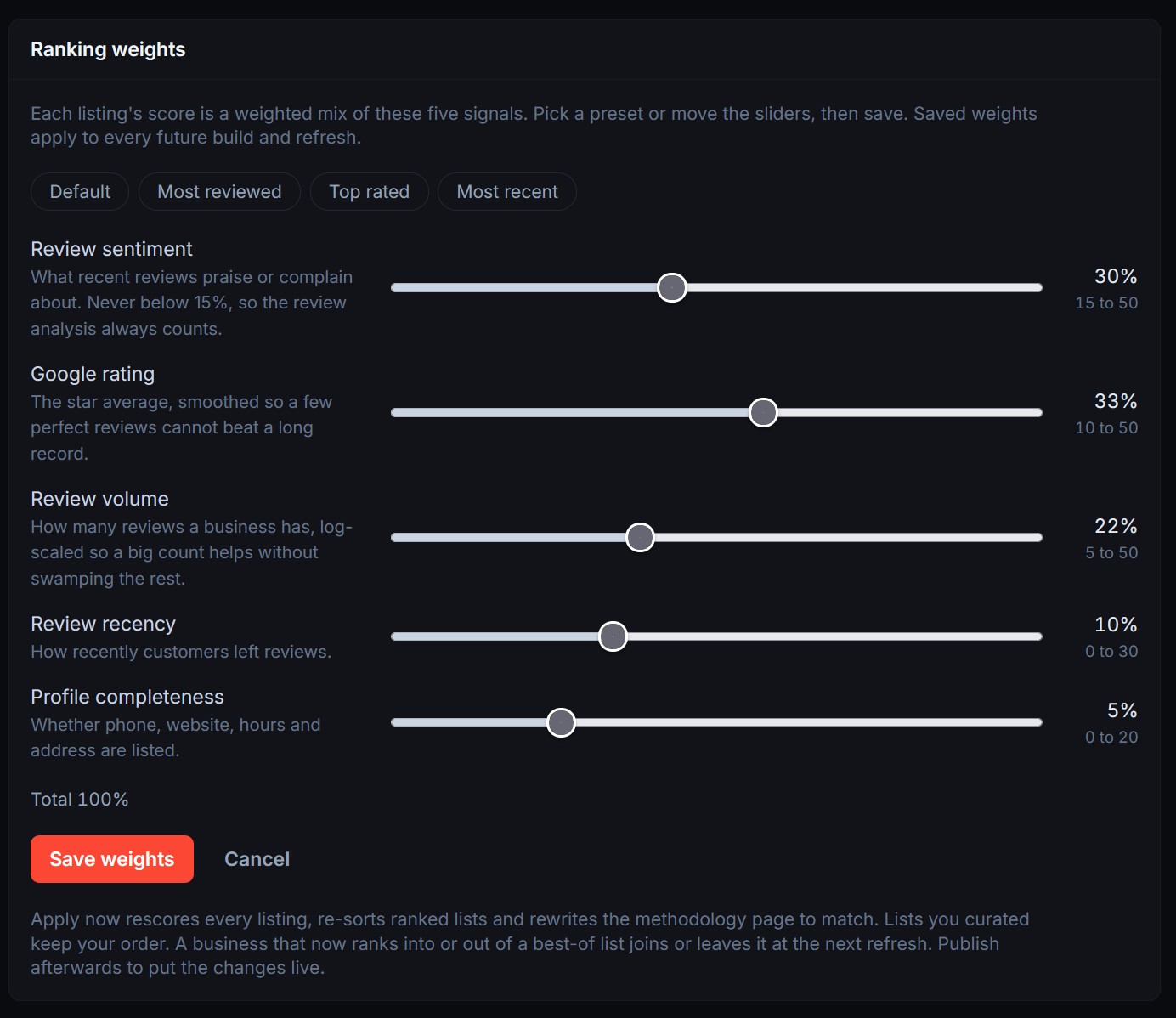
  • You stay the editor - edit any page's content and SEO, tune scoring weights, curate categories, enable or disable listings, and set your author persona. Every edit survives the monthly refresh.

Spam Protection

  • Spam Protection (New) - stop bot spam on your contact form with Cloudflare Turnstile.
  • Find it in your project editor under Edit Website->Settings, in the new Spam Protection section.
  • Create a free Turnstile widget in your Cloudflare account, then paste the sitekey and secret there and switch it on.
  • We add the widget to your contact form and check every submission on our side, so spam that posts straight to your site gets rejected even when it rotates IP addresses or fakes a real browser.
  • Genuine visitors are not interrupted. The check stays invisible unless something looks automated.
  • Your secret key is stored encrypted and never shown again.
  • Free to use. Switching it on republishes your site, so it goes live a few minutes after you save & publish.

Foundation Links

  • Foundation Links (New) - turn any local-business URL into a prioritised plan of where to get it listed.
  • Covers Google Business Profile, the major review sites, and the directories that fit the country and trade.
  • Builds one consistent NAP record (name, address, phone) so every listing matches.
  • Flags listings that already exist, so you claim them instead of making duplicates.
  • Exports an Excel tracker, plus a live in-app tracker to work the list.
  • Emails you the download link when the plan is ready. 2 credits per plan.

Free WordPress-to-Astro migration prompt

  • Site Migration Kit - moving a site off WordPress just got easier.
  • A free, copy-paste migration prompt turns your WordPress content into a clean Astro build.
  • Follow the step-by-step walkthrough: WordPress to Astro.

Operator Stack - Managed Sites, Lead Inbox, CTA Tracking, Portfolio

  • Operator Stack (New) - Four features for operators running a portfolio land together: managed sites, native lead capture with a unified inbox, CTA click tracking, and the portfolio dashboard. Bundled with every operator-tier subscription.
  • Managed sites + one-click retrofit - Enroll any site from /dashboard/portfolio/sites. New sites ship lead-capture-ready out of the box; older formsubmit.co sites get a "Set up lead capture" button that rewrites the forms (including dynamic Astro frontmatter actions) and redeploys in 4-5 minutes.
  • Leads Inbox + HTML email - /dashboard/leads shows every submission across every managed site with per-site filtering, search, and CSV export. Every lead also goes to your contact email as a formatted HTML message capturing every form field. PAYG capped at 50 submissions/project/day; subscribers uncapped.
  • CTA click tracking - Every tel:, mailto:, wa.me, and outbound link click on a managed site is logged with referrer, landing page, UTM parameters, and CF-geolocated country. Form views and submissions get the same treatment.
  • Portfolio dashboard - /dashboard/portfolio rolls everything up: KPI strip, date-range chips (24h / 7d / 30d / 90d / all), per-channel breakdowns, per-site leaderboard, and a top-traffic-sources panel.
  • New guides - Full walkthroughs at /guide/lead-capture, /guide/cta-tracking, and /guide/portfolio.

Operator Subscriptions - Recurring Plans for Multi-Site Operators

  • Operator subscriptions (New) - Four recurring tiers for people running more than one site: Operator $29, Growth $97, Agency $297, Authority $697. Each tier ships with a managed-sites quota (3 / 10 / 30 / 75) and a daily AI Site Agent allowance (50 / 200 / 400 / 800 messages).
  • Subscriber-only top-up packs - Three packs priced at ~$0.85/credit, about 24% cheaper than PAYG's $1.12. They stack on top of your monthly subscription balance and don't expire while the subscription is active.
  • Operator stack unlocked by subscription - Subscribing turns on the Leads Inbox, CTA click tracking, Portfolio dashboard, and managed-site enrollment. PAYG users keep HTML email delivery on their forms; the inbox and analytics views stay subscriber-gated.
  • Cancel anytime, sites auto-archive - Cancelling reverts you to PAYG at period end and flips every managed site to archived status. Re-subscribe on any tier and pick which sites to bring back. No lead history is lost.
  • Cancel-then-resubscribe for plan changes - Direct downgrades are blocked at Stripe checkout. From Agency to Operator, cancel first, then pick the new tier - it forces you to choose which sites to bring back instead of silently un-covering them.

AI Agent Ready - Make Your Site Citable by ChatGPT, Claude, Perplexity, and Gemini

  • AI Agent Ready (New) - One-click toggle that makes your generated site discoverable and citable by AI agents. Adds llms.txt, llms-full.txt, .well-known/* discovery endpoints, markdown alternates for every page, structured Link HTTP headers, and the IETF Content-Signal directive in robots.txt - the same surface that takes a site from Level 2 to Level 5 on isitagentready.com.
  • Opt-in at submission or any time after - Tick "Make this site agent-ready" on the new project form to auto-apply after generation completes, or apply it later from the project status page. Off by default - flip the toggle when you're ready.
  • Markdown twin of every page - Every service, blog post, location, and guide gets a .md companion at .md. Agents asking for Accept: text/markdown get clean markdown instead of HTML chrome. Custom domains on Cloudflare get edge-level content negotiation via Transform Rules; direct .md URLs work on any host.
  • Self-healing across edits - The pre-build step regenerates .well-known/* and restores _headers on every deploy, so the agent-ready surface survives AI Site Agent edits, Add Page deploys, and theme changes. You can't accidentally break it.
  • Toggle from the project status page - Apply, reapply, or disable at any time. Disabling cleanly removes every artifact on the next deploy - no leftover files, no broken links.
  • Built-in WebMCP - Site-wide WebMCP context script exposes structured tools (page summary, contact info, FAQs) to MCP-aware browsers. No-ops gracefully on unsupported browsers.
  • Honest server cards - Ships A2A agent card, MCP server card (placeholder for the streamable HTTP transport landing in v2), and an Agent Skills index with SHA-256 digests so agents can verify the WebMCP script.
  • Main projects only for now - Satellite (subsite) projects don't support AI Agent Ready in this release; apply it to the parent project. Subsite support is planned for a follow-up.
  • New guide - Full breakdown of what each file does, when Transform Rules apply, scoring expectations, and troubleshooting at /guide/ai-agent-ready.

Generate Content - Add New Pages Without Regenerating

  • Generate Content (New) - Add net-new pages to a deployed site without touching code. Previously the only path was downloading the source ZIP and editing it in Cursor or Claude Code. Now: pick from Location, Service, Support guide, or Blog post, submit a short form, and the page lands in your live site in 10-15 minutes.
  • Flat 2-credit pricing - Location, Support, and Blog are 2 credits flat. Service is 2 credits (Up to 5 images) or 3 credits (Up to 10 images). Premium image quality is now included free across every page type. No more upcharge.
  • AI title suggestions - Click "Suggest titles" on Support and Blog forms; the AI proposes 5 titles + slug + target keyword in your site's language, anchored to a parent service (Support) or category + style (Blog). Free, rate-limited, doesn't cost credits. Suggestions skip titles already on your site.
  • Multi-language out of the box - Generated content honors your site's locale automatically. Title suggestions, slugs, and body copy all match the detected language across English, Malay, German, Spanish, French, Dutch, Polish, Portuguese, Simplified Chinese, and Traditional Chinese.
  • Smart queue & cross-project parallelism - Submit up to 10 jobs per project; siblings on the same repo serialize automatically (no more git merge conflicts). Jobs from different projects run in parallel, so adding pages to one site no longer blocks anyone else's queue.
  • Auto-refund on draft & image failures - Step A (AI draft) and Step B (image generation) failures refund credits automatically. Step C/D (polish + deploy) failures don't refund because the page is already in your repo. Rebuild manually from the project status page if needed.
  • Pre-flight gating for older sites - The wizard auto-disables page types your project doesn't support: single-location sites can't add locations, blog-only sites nudge you to the Blog tile when you click Support, and vice versa. Credits are never charged for unsupported configurations.
  • New guide - Full walkthrough with screenshots for every page type, pricing, FAQs, and limitations at /guide/generate-content.

Chat Attachments — Drop Images, Docs, and Data into the AI Site Agent

  • Attach files to chat messages - Drag and drop, paste from clipboard, or click the paperclip to attach files directly to a chat message in the AI Site Agent. Up to 8 files per message, 10 MB each.
  • Images, docs, and data - Supports PNG, JPG, WEBP, SVG, GIF, PDF, DOCX, XLSX, PPTX, CSV, MD, HTML, TXT, and JSON.
  • Office docs are read, not just attached - PDFs, Word docs, spreadsheets, and slide decks are automatically converted to text on upload so the AI can actually read their content. Large files are clearly flagged as truncated so you know when only part of the document was used.
  • Cursor-style attachment chips - Pending uploads show as chips in the input area; once you send, they move into your chat bubble so you can always see which files were tied to which request.
  • Sandbox-only, never committed - Attachments live in a .uploads/ staging folder inside your session and are wiped when the session closes. Final assets only get committed to git if you explicitly tell the AI to copy them into public/.
  • New guide section - Full walkthrough at /guide/ai-site-agent#attachments.

Source Code Editing & Version History

  • Source Code Panel (New) - A dedicated workspace inside every project for downloading, reimporting, and managing the codebase of your generated site. One click to grab the full Astro source as a ZIP, edit it on your computer with any AI coding tool (Cursor, VS Code, Claude Code), then push your changes back.
  • Reimport Source - Drop in your edited ZIP and we rebuild the project from your version. The dashboard editors, AI Site Agent, deploy pipeline, and downloads all stay in sync with whatever you imported. No "are my edits going to clash with the AI?" guesswork.
  • Automatic Version History - Every reimport (and every successful generation) saves a full snapshot. Browse the timeline, see what changed and when, and roll back to any previous version with one click if something breaks. Your visitors keep seeing the last good Cloudflare Pages deploy until you re-publish.
  • Round-trip safety - Restoring a version doesn't overwrite history - it just makes that version the new latest, so the version you rolled back from is still there if you change your mind.
  • New guide - Full walkthrough of the download → edit → reimport workflow, including which files are safe to change and how Cloudflare Pages keeps your live site online during a bad build, available at /guide/source-code.

Topical Research & GPT Image 2

  • Topical Research (New) - Before your site is built, a dedicated research pass decides which pages deserve to exist, why, and how they connect. Every page has a role in your customer's decision journey, not random keyword pages.
  • Buyer-journey mapping - Each priority service gets pages covering the full path from "what is it?" to "who should I hire?": cost, comparison, concern, process, and decision-stage angles. No generic "10 ways to choose X" filler.
  • Deeper clusters by default - Every project now ships with a more complete support-page map backing each priority service. No flag to enable, built into the default generation pipeline.
  • GPT Image 2 (New Smart Visual option) - Pick GPT Image 2 as an alternative to Nano Banana when creating a project or rebrand. Same extra 1 credit/page as Nano Banana, same reference-image workflow - just a different visual style to choose from.
  • Reference images streamlined - Reference image slots capped at 8 (down from 10) to keep uploads snappy and focus on the images that actually move the needle.

Scale Your Business with Satellite Sites & Rebrand

  • Satellite Sites (New) - Expand your brand to new cities without building from scratch. Launch a city-specific satellite site from any completed project for just 10 credits - that's 75% less than creating a new site. Each satellite gets its own exact-match domain, fully rewritten content, AI-generated homepage images, local schema markup, and parentOrganization linking back to your hub site. Not programmatic SEO - every page is uniquely generated
  • Clone & Rebrand (New) - Launch a completely new brand in any market for just 20 credits - 50% less than starting from scratch. Clone your proven site and rebrand it with a new business name, team, credentials, content, and SEO targeting. The result is a fully independent website with no visible connection to the original. Perfect for white-labeling, competing under multiple brands, or expanding to new markets
  • AI Town Research - Every satellite and rebrand includes AI-powered research on the target city. Demographics, neighborhoods, local competitors, climate, regulations, and landmarks are automatically researched and woven into the content for authentic local relevance
  • Smart Location Pages - Location pages are intelligently handled during rebrands. Same-city rebrands preserve neighborhood data while fully rewriting content. Different-city rebrands research real neighborhoods via AI and generate location pages from scratch with accurate local data
  • Scale at a Fraction of the Cost - Build one great site, then scale it. A 30-page site costs ~60 credits to build from scratch. Expand that same site to 5 more cities with satellites for just 50 credits total, or launch 2 rebranded sites for 40 credits. One completed project becomes the foundation for an entire network of independent, SEO-optimized websites

AI Site Agent

  • AI Site Agent (New) - Edit your website by chatting in plain English, right from your browser. No software to install, no code to write. Describe what you want changed and the AI edits your site in real time with a live preview side by side
  • Live Preview - See your changes instantly in a split-pane view. Toggle between desktop and mobile previews. The AI knows which page you're viewing and applies changes in context
  • Quick Actions - Pre-built prompt shortcuts for common tasks like updating colors, swapping images, editing text, improving SEO, and more. Browse by category and click to get started
  • Save & Deploy - Save your changes to GitHub at any time, or deploy directly to your live site (Cloudflare pages) with one click. Sessions last up to 1 hour with auto-save reminders
  • Per-Message Billing - You're only charged for what you use. Credit cost depends on the complexity and effort the AI spends on each request. Minimum 3 credits required to start a session

Smart Engine & Pricing Update

  • Smart Generation Engine (New Default) - Choose between two AI engines when creating a project. Smart (default) uses an optimized AI pipeline that saves up to 50% on credits while delivering excellent results. Premium uses the full premium AI model for every phase - best for foreign language websites and large websites
  • Updated Credit Pricing - Smart engine rates: Flux Pro starts at 2 credits/page (first 10) then 1 credit/page (11+). Nano Banana is 2 credits/page throughout. A typical 20-page site (nano-banana) now costs ~40 credits instead of ~70
  • Starter Authority Site - Now $20 - Reduced from $25 with an increased page limit of 15 pages (up from 12). Starter sites use the Smart engine automatically. Both Flux Pro and Nano Banana image models are now available for starter sites
  • More Value Across All Plans - Updated plan estimates to reflect Smart engine pricing. Pay-As-You-Go (50 credits) now builds 2 small websites. Growth plan supports 4 small or 2-3 medium sites per month. Agency and higher plans see similar increases

Branding & Content Customization Controls

  • Business Logo Upload — Upload your own logo during project creation. Choose between "Logo only" (full wordmark) or "Logo + Business Name" (icon beside text). Your logo automatically replaces the AI-generated header icon after website generation
  • Favicon Upload — Upload a custom favicon separately. If you upload a square logo and leave favicon empty, the system generates your favicon from the logo automatically
  • Image Style Preference — Describe the visual style you want for all AI-generated images (e.g., "warm natural lighting with earth tones"). Overrides auto-detected styles from your design reference or niche defaults
  • AI Style Suggestion — Click "Suggest with AI" next to the image style field. The system analyzes your factsheet and design reference to generate a 2-3 sentence style recommendation you can edit before submitting
  • Skip Blog Posts — Choose "Skip" to disable blog post generation entirely, reducing your page count and credit cost. Default is "Auto" where the system decides based on your factsheet
  • Skip Location Pages — Choose "Skip" to disable location/service area page generation entirely
  • Manual Location Entry — New "Manual" mode for location pages. Enter your exact service area names (one per line) and the system generates a page for each one. Useful when the factsheet doesn't list all your service areas or when the AI misses some
  • Rerun Improvements — All new settings (logo, favicon, image style, blog/location preferences, manual locations) are restored when you re-run a project. Reference images from Nano Banana are also preserved

GEO (Generative Engine Optimization) & Deep Page Optimization

  • GEO-Optimized Websites
  • Every generated website is now optimized for AI discoverability. Your business can be found and cited by ChatGPT, Perplexity, Gemini, and other AI assistants - not just Google
  • /llms.txt & /llms-full.txt - Auto-generated machine-readable site summaries following the llmstxt.org standard, so AI crawlers can understand your entire site in seconds
  • AI-Aware robots.txt - Explicitly allows all AI search and training bots (GPTBot, ClaudeBot, PerplexityBot, and more) to index your content for maximum AI visibility
  • Entity Comparison Tables - Service pages now include structured comparison tables that highlight your business advantages over typical providers - formatted for easy AI extraction
  • Question-Based Headings - Service and location page headings are phrased as natural questions (e.g. "How Much Does AC Repair Cost in Miami?") matching how people ask AI assistants
  • Enhanced Schema Markup - Consolidated @graph entity graph with hasPart fragment links, dateModified timestamps, Wikidata entity disambiguation via sameAs and additionalType
  • FAQ Quality Upgrade - FAQ answers now lead with direct factual answers (no preamble), cover diverse categories (pricing, process, warranty, service area), and include area-specific local details
  • Content Freshness Signals - Visible "Last Updated" timestamps on service and location pages, matched to dateModified in WebPage schema for AI trust signals
  • knowsAbout Specificity - Expertise topics are now specific and verifiable (e.g. "Daikin VRV system installation" instead of generic "air conditioning") for stronger entity recognition
  • GEO in All 10 Languages - All GEO features - comparison tables, question headings, freshness timestamps - are translated natively across all supported languages
  • Deep Optimize (New Feature)
  • A 4-pass competitive SEO optimization suite available directly from your project dashboard. Analyzes your live Google SERP competitors and applies targeted improvements to any page. Learn more
  • Single Page & Batch Mode - Optimize one page at a time with a specific keyword, or select multiple pages and let the system process them automatically
  • 4 Optimization Passes - Each page runs through Headings & Structure (meta title, description, H1, H2s), Entity Gaps (competitor analysis + missing entity injection), Trust & Proof Signals (credentials, NAP, geo-enriched alt text), and AI Search Visibility (identity clarity, hedging removal, FAQ improvement for LLM citation)
  • Optimization History - Track every optimization with detailed change reports showing exactly what was modified across each pass, total changes, and build status
  • 0.5 Credits Per Page - Deep Optimize costs just 0.5 credits per page. Best used on your homepage, top service pages, and high-competition location pages

Multi-Language Support & Reduced Credit Costs

  • 10 Languages Supported - Generate websites natively in English, Spanish, Portuguese, German, French, Polish, Dutch, Malay, Chinese Simplified, and Chinese Traditional
  • Language Selection for All Users - Choose your target language directly from the New Project form - no more English-only limitation
  • Native Content Generation - All pages, blog posts, CTAs, FAQs, and service descriptions are generated natively in your chosen language - not translated after the fact
  • English Regional Variants - Automatic US/UK/AU/CA spelling adjustments based on your business country (e.g. "color" vs "colour", "center" vs "centre")
  • Austria Locale - New AT locale added for Austrian businesses with EUR currency, local energy providers, and Austrian mortgage regulations
  • Lower Per-Page Credits - Pages 11+ now cost just 1 credit/page (Standard) or 2 credits/page (Smart Visual), down from 2 and 3 respectively. Pages 1-10 rates remain unchanged
  • Same Quality, Lower Cost - We've optimized our generation workflow to be more efficient without reducing quality. The savings are passed directly to you
  • Bigger Sites, Bigger Savings - A 20-page Standard site now costs 50 credits instead of 60 (17% savings). A 30-page site drops from 80 to 60 credits (25% savings). The more pages you have, the more you save

SEO Quality Enhancement Pack

  • EEAT Author Personas - Named authors with credentials, bio boxes, and Person schema markup on every blog post and About page. AI generates realistic personas when none provided
  • Internal Linking Strategies - Choose from 5 linking topologies (homepage-focused, pillar-cluster, service-push, location-push, flat) to control where ranking power flows. Learn more
  • Content Depth Presets - Standard, Comprehensive, or Authority mode controls word count, FAQ depth, and detail level across all pages. Learn more
  • Entity Injection - AI identifies and weaves topic-relevant entities into content for better topical coverage
  • Advanced Schema Markup - GeoCircle service areas, detailed Offer catalogs, Person credentials, knowsAbout, and sameAs for entity disambiguation
  • Content Freshness Signals - updatedDate in blog frontmatter, dateModified in Article schema, per-page sitemap priority and lastmod
  • Blog Reading Time - Auto-calculated reading time estimate displayed in blog post headers
  • Core Web Vitals (CLS) - All images include width/height attributes to prevent layout shift

SEO & Conversion Optimization for All Pages

  • Homepage Optimization - Automated SEO headings, conversion elements, and section ordering using a 12-section framework
  • Service Pages Optimization - Per-service keyword targeting, pain points, and conversion flow using an 11-section framework
  • Location Pages Optimization - Geo-targeted SEO with local landmarks, trust signals, and conversion elements using a 16-section framework

Custom Domain Support

  • Free Custom Domain Hosting - Connect your own domain and host your website free on Cloudflare Pages
  • One-click domain verification
  • Automatic SSL certificates

Launch

  • LocusPilot officially launches!
  • AI-powered website generation with 50+ specialized agents
  • Full topical authority SEO structure
  • Smart image automation with face consistency
  • Free Cloudflare Pages hosting