WordPress to Astro without losing your rankings
How to move a WordPress site to Astro and keep your Google rankings. Keep the pages that get traffic, redirect the old links so none break, and know what cannot move.
"Point an AI at my old site and it'll rebuild the whole thing on Astro." That works for a ten-page blog. On a real site with a few hundred pages, it breaks. Pages get dropped. The ones that were ranking start showing 404 errors, and the traffic goes with them.
Here is what actually matters. You can move a WordPress site to Astro and keep your Google rankings. You just need every page that gets traffic to keep working. It stays at the same web address, or you send it to its new page with a 301 redirect.
Get that right and your rankings hold. They often climb once the new site loads faster. Get it wrong and the move costs you the traffic you were trying to save.
This is the method we use for a wordpress to astro migration, written so you can follow it by hand. It moves the whole site without hurting your SEO. A small traffic dip is normal, and this method keeps that dip as small as it can be.
It covers what survives the move, what breaks, and what does not move at all. It also shows how to keep your search rankings as you switch. There are free prompts at the end if you want to run the same steps yourself.
Adam's work in AI and SEO has been covered by Augusta Business Daily and ValiantCEO. This guide comes from a real migration we ran ourselves, moving our own product, Agility Writer, from WordPress to Astro.
Why people are moving off WordPress now
Search interest in moving from WordPress to Astro has been climbing for a while. You can check the curve yourself on Google Trends; the line for the query has been rising.
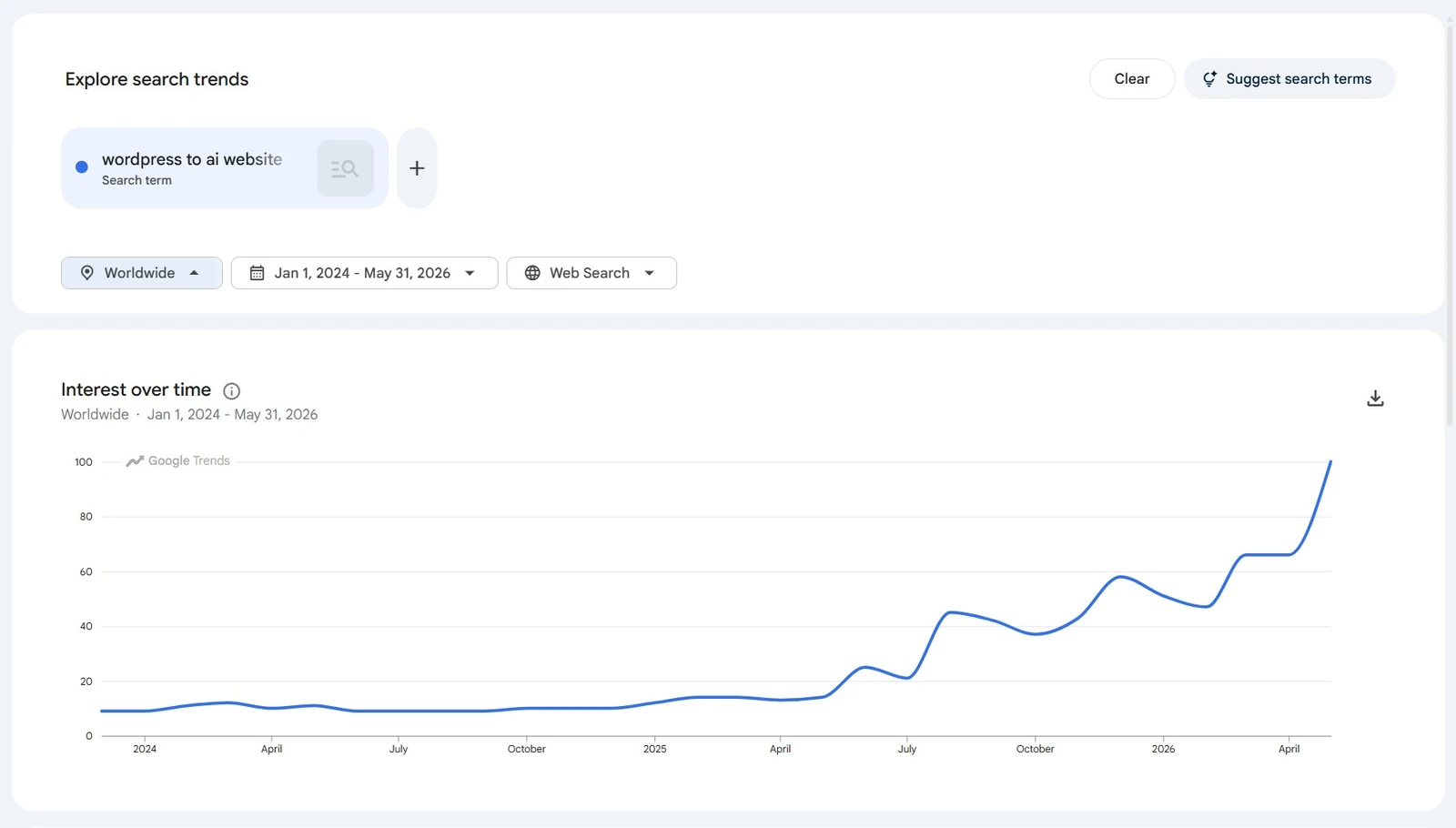
The reasons are practical. Astro builds your site to static HTML, so it loads fast, costs almost nothing to host, and has a fraction of the attack surface of a WordPress install running a stack of plugins.
None of that matters, though, if the move costs you the rankings you already have. So that is what this guide protects first.
Will you lose your rankings? The short answer
Only if you let URLs 404.
Google ranks individual URLs. As long as the address a searcher or Googlebot lands on still returns the right content, the ranking has somewhere to live. You preserve it two ways: keep the URL identical, or 301-redirect the old URL to the page that replaces it.
A 301 passes almost all of the ranking signal to the new address. This is not our opinion: Google's own site move guidance tells you to use 301s and keep every old URL pointing at its new home for exactly this reason.
Be honest with yourself about the timeline. Even a clean migration usually sees a small dip in the first week or two while Google recrawls and processes the redirects.
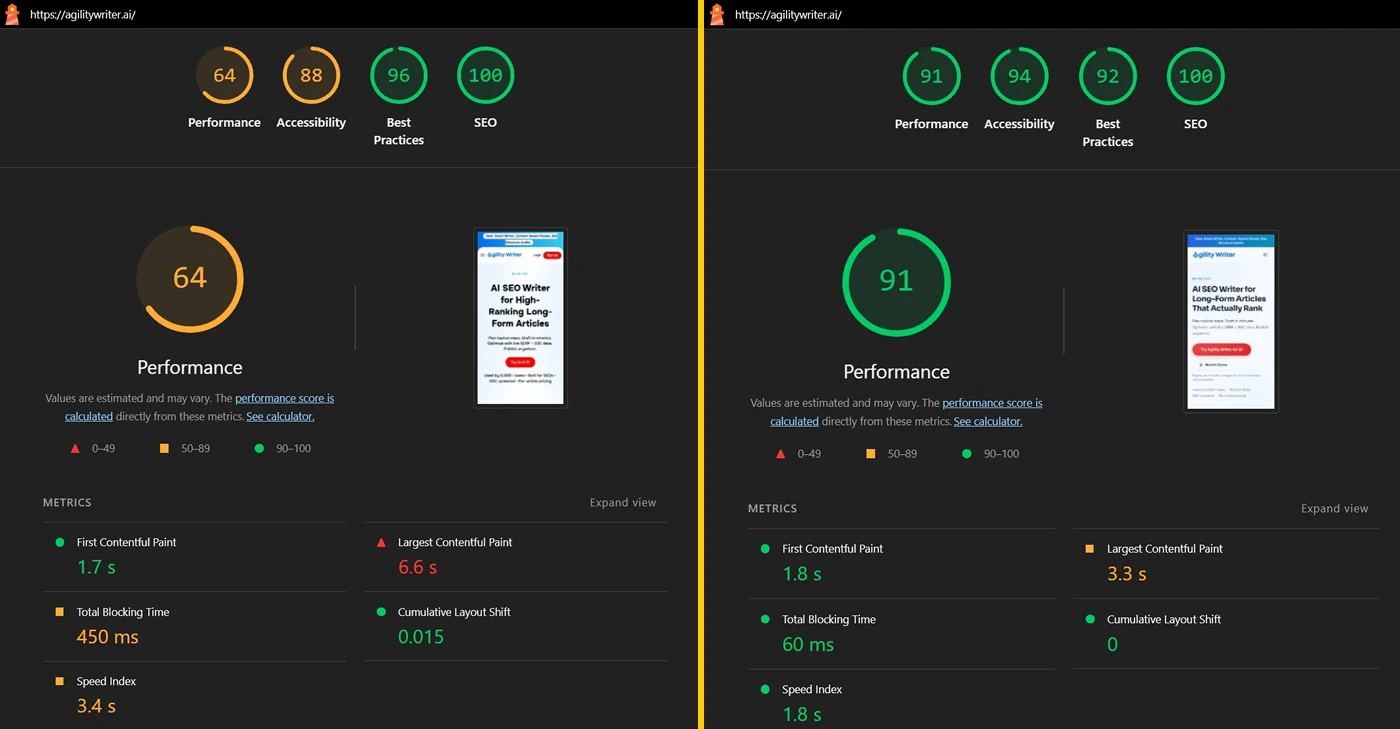
In our experience most sites settle back within a few weeks, and many end up ahead within a couple of months because the new site is faster and Core Web Vitals improve.
The dip is normal. A real loss only happens when ranking URLs quietly start returning 404s and nobody catches it.
What actually breaks in a WordPress to Astro migration
Three things change underneath you, and each has a failure mode.
- URLs and redirects. This is the one that costs rankings. Every old address has to resolve, either unchanged or via a 301. Miss a batch and you 404 live traffic.
- Images. Your media library does not come along on its own. Images get pulled out of WordPress and re-hosted in the new project, with the references rewritten to match. Image-heavy sites are more work, because every file is a real binary you have to move, not text you can regenerate.
- Dynamic features. Anything that ran on the WordPress server, a contact form handler, a comment system, a live search, a shopping cart, does not exist on a static Astro site by default. Some of it has a static equivalent (a form that posts to a service, search via a hosted index). Some of it does not move at all, which is the next section.
What does not migrate (read this before you start)
Astro builds a static site by default, which is the setup this guide assumes. Astro can also do server and hybrid rendering, but that is a different kind of project; here we mean the standard static, content-site build.
Static means there is no server running your application code on each request, so anything that needs a backend does not come across. The content of those pages can move and keep its URL. The function behind them cannot.
What that rules out:
- Ecommerce: cart, checkout, payment, and product catalogs with live inventory. A WooCommerce store is not a static site.
- Booking and scheduling: reservation calendars, appointment systems, anything that writes to a database when a visitor acts.
- Accounts: member logins, gated areas, user profiles.
- Search-driven databases: directories and listings that query a backend on every view.
Here is the distinction worth holding onto. A service page that describes your booking service can migrate: the copy, the images, the SEO, and the URL all come across, and the "book now" button points at the booking tool you already use. What cannot migrate is the booking engine itself living inside your site.
If your site's value is the transactional thing it does rather than the content it publishes, Astro is the wrong target. If it is a content and SEO site with a few outbound "buy" or "book" links, you are fine.
Is Astro the right move for your site? A 60-second check
Astro is a good move when:
- Your site is mostly content. Blog posts, service pages, guides, the stuff that ranks and informs.
- You have enough pages that performance and maintenance actually matter, roughly 30 or more.
- You want fast pages and cheap hosting, with far fewer plugins to patch.
Astro is the wrong move when:
- The site is tiny. Under about 15 pages, the migration overhead is not worth it. Rebuild by hand or stay put.
- The site's value is a backend. A store, a booking platform, a membership site. Keep those on a stack built for them.
A quick way to decide:
| Keep it on WordPress | Move it to Astro |
|---|---|
| A live store with cart and checkout | A blog or content library |
| A booking or reservation engine | A service or brochure site |
| Member accounts and gated content | A site whose job is to rank and inform |
| A 5-page site you can redo by hand | 30 to 250+ pages of posts and pages |
If you landed mostly in the right column, keep reading.
The ranking-safe migration method
Five steps. This works whether you do it by hand, with a developer, or with the AI pipeline described later. The order matters: decisions come before building, and the redirects come out of the decisions.
Step 1: Inventory every URL, with traffic
Start by listing every URL the old site exposes. You need two things joined into one sheet:
- The full URL set: your sitemap (usually
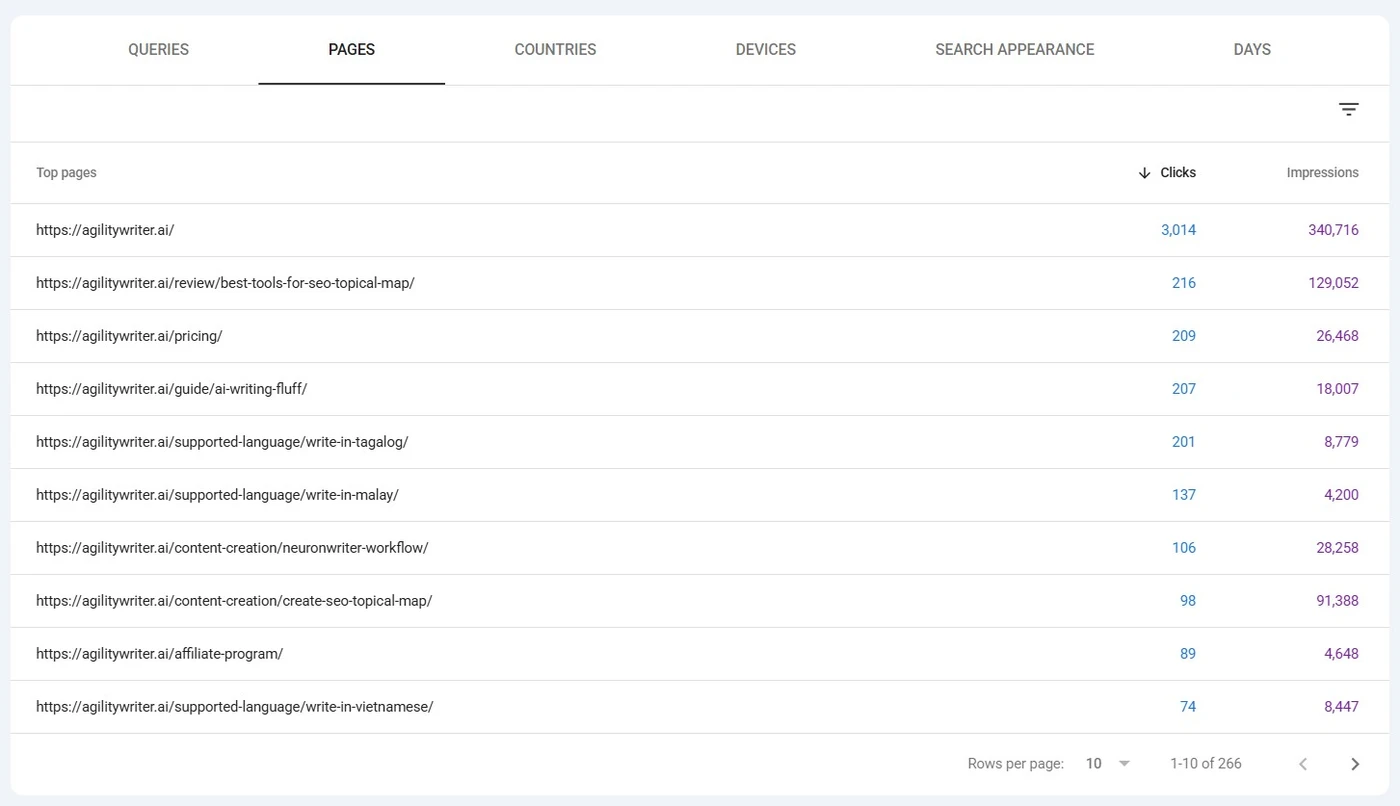
/sitemap.xml, or/wp-sitemap.xmlon WordPress), plus a crawl with a tool like Screaming Frog to catch anything the sitemap misses. - The demand data: in Search Console, open Performance, switch to the Pages tab, set the date range to the last few months, and hit Export. That gives you clicks, impressions, and average position per URL.
Join them into one row per URL, with columns old_url, impressions, clicks, avg_position, and an empty decision column you will fill in next.
The number that matters is impressions, not just clicks.
A page with zero clicks but thousands of impressions is ranking on page two for something people search. That is latent demand.
The page is one improvement away from traffic, so deleting it would throw away a ranking you already hold. Judge on impressions and you stop yourself from making that mistake.
Step 2: Triage by real demand: keep, merge, redirect, drop
Now go through the list and give every URL one of four decisions:
- Keep: it earns demand and holds up on its own. It moves to the new site.
- Merge: it overlaps with a stronger page. Fold the content in, then redirect it to that page.
- Redirect: nothing worth moving, but it still has equity or inbound links. Point it at the closest relevant page.
- Drop: no real demand and no links. Redirect anything with leftover equity to a sensible parent; pure zero-traffic junk you can let go.
Here is the logic on a handful of rows. The numbers are made up to show how the decision falls out:
| Old URL | Impressions (90d) | Clicks | Decision | Why |
|---|---|---|---|---|
| /best-hvac-tips-2019 | 4,200 | 0 | keep | Ranking on page two, real demand, just needs a refresh |
| /ac-repair | 9,800 | 540 | keep | Earns traffic on its own |
| /ac-repair-services | 1,100 | 60 | merge | Overlaps /ac-repair, fold in and redirect |
| /author/admin | 3 | 0 | redirect | No content worth moving, point at /about |
| /hello-world | 0 | 0 | drop | Default WordPress post, redirect to home so it never 404s |
The 0-click, 4,200-impression row is the one most people delete by accident. It is the whole reason you triage on impressions.
In your sheet, this is two more columns: decision (keep, merge, redirect, or drop) and new_url (where it goes). Once both are filled in, those two columns are your redirect map. You just do not see it as one yet.
Triage is where the quality of the whole migration is set. It is also where a human has to sign off, because "is this page worth keeping" mixes SEO judgment with business context only you have. Do not skip it, and do not fully automate it.
Step 3: Rebuild the kept pages in the new site's design
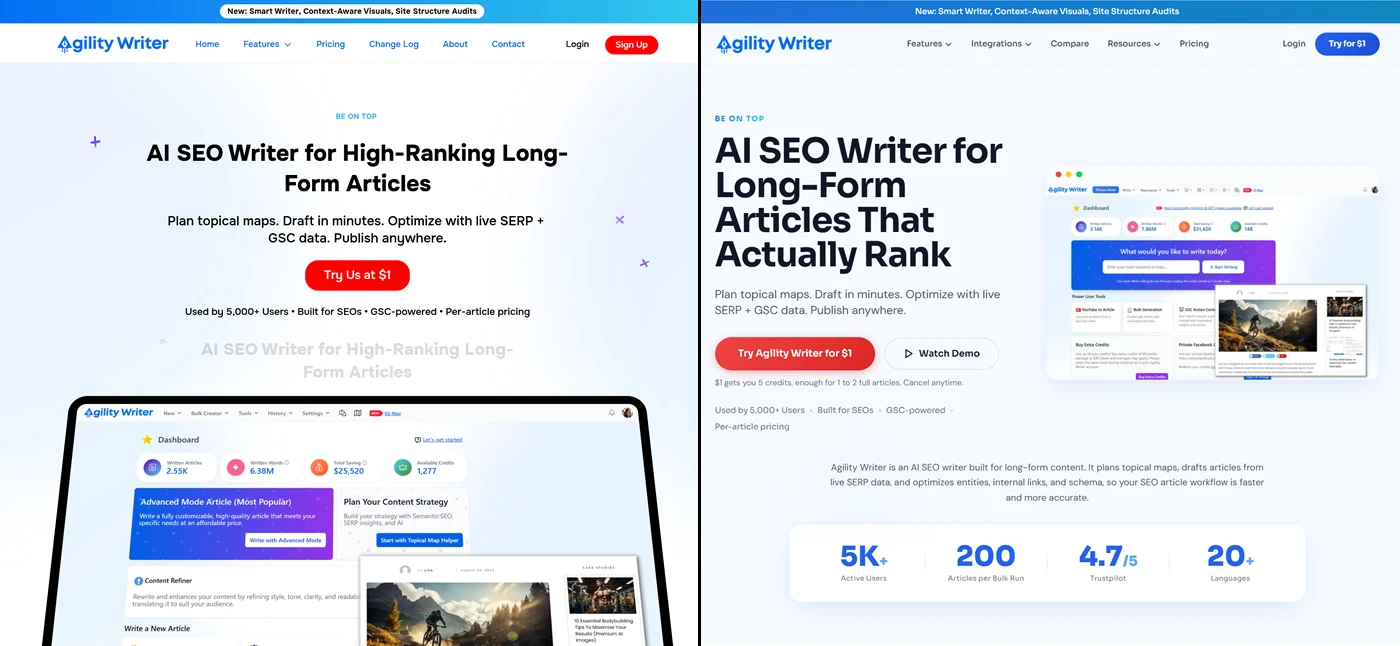
For every keep, rebuild the page inside your Astro site using that site's own components, layout, and writing voice. Treat the old page as a content source. You are not copying its design.
You are moving the facts, the images, the structure, and the SEO intent into a page that looks like it belongs on the new site, not a screenshot of the old one.
This is also your chance to fix the page while you are in there: fix thin or stale copy, and add the schema the old page never had.
Step 4: Derive the 301 redirects so nothing 404s
You do not hand-write a redirect map from memory. It falls out of the decisions you already made.
Every keep maps old URL to new URL. Every merge and redirect points at its target. Drops with any leftover equity point at the nearest relevant page; pure junk you can let go. The result is a map where no URL that carries traffic or links returns a 404.
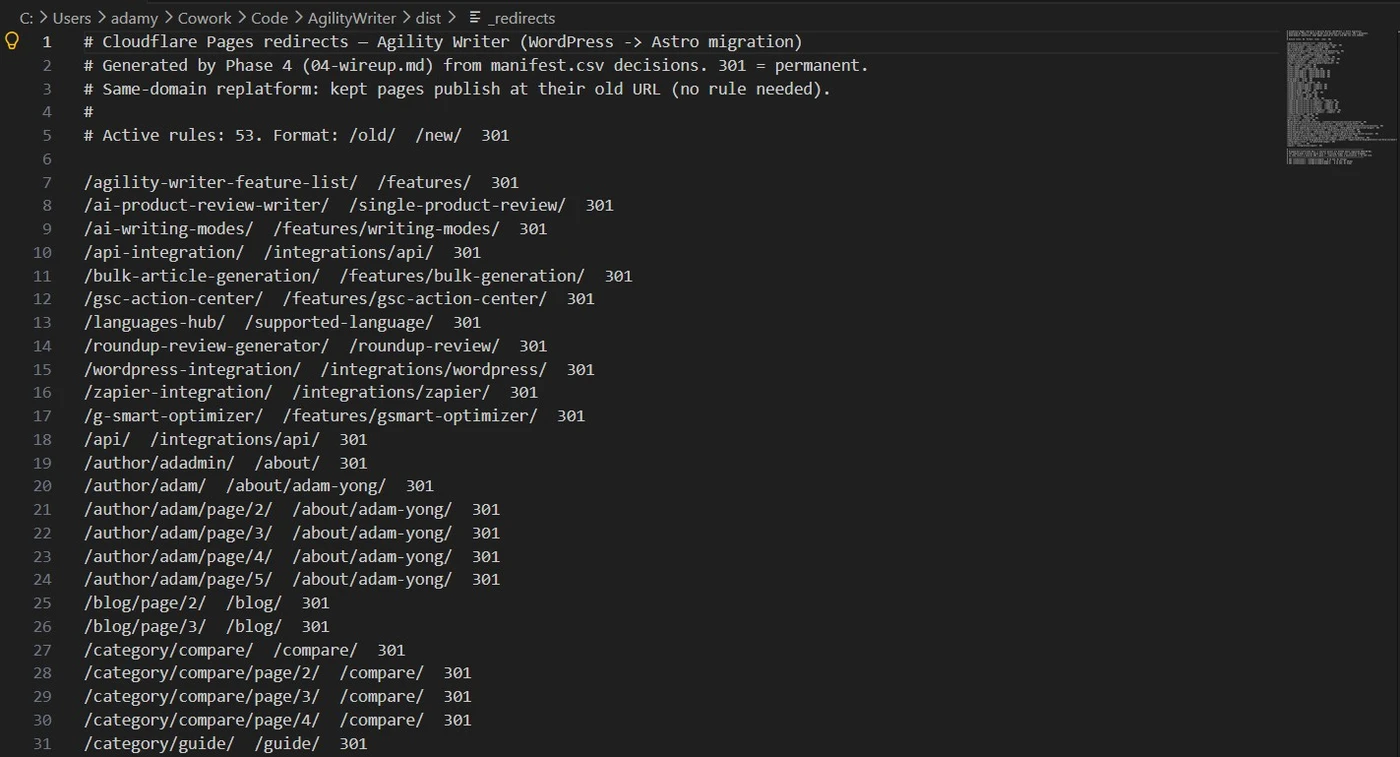
Where the redirects live depends on your host. On Cloudflare Pages it is a _redirects file: plain text, one rule per line, old path then new path then status code. The triage example above turns into this:
/best-hvac-tips-2019    /guides/hvac-tips     301
/ac-repair-services     /services/ac-repair   301
/author/admin           /about                301
/hello-world            /                      301
On other setups it is the Astro config or a middleware instead, but the shape is the same. Every entry is a 301 so the ranking signal transfers, and every old URL appears exactly once.
Step 5: Audit before you deploy
Before anything goes live, check the whole thing against itself. Five checks, each catching a specific way a migration breaks without anyone noticing:
| Check | What it catches |
|---|---|
| Every keep has a published page | A decision that never got built |
| Every redirect resolves to a live URL | A 301 pointing at a 404, the worst case |
| No redirect chains or loops | A to B to C hops that bleed ranking signal |
| No internal link points at an old URL | Links that 404 or bounce through a redirect |
| Every referenced image exists | Broken images from a missed download |
To run it mechanically: crawl the staging site for broken internal links, then take your old URL list and request each one against the new site, confirming every response is a 200 or a 301 and never a 404.
To spot-check a single URL, curl -I https://yoursite.com/old-path prints the status code in its first line.
This audit is the last gate that protects your rankings. A migration that ships a 301 pointing at a 404 loses the equity it was meant to save. Run the check, fix what it finds, then deploy.
What happened when we moved Agility Writer off WordPress
Agility Writer is our own AI SEO writing SaaS. The old site was WordPress, with Elementor on the marketing pages and Gutenberg on the blog and help docs.
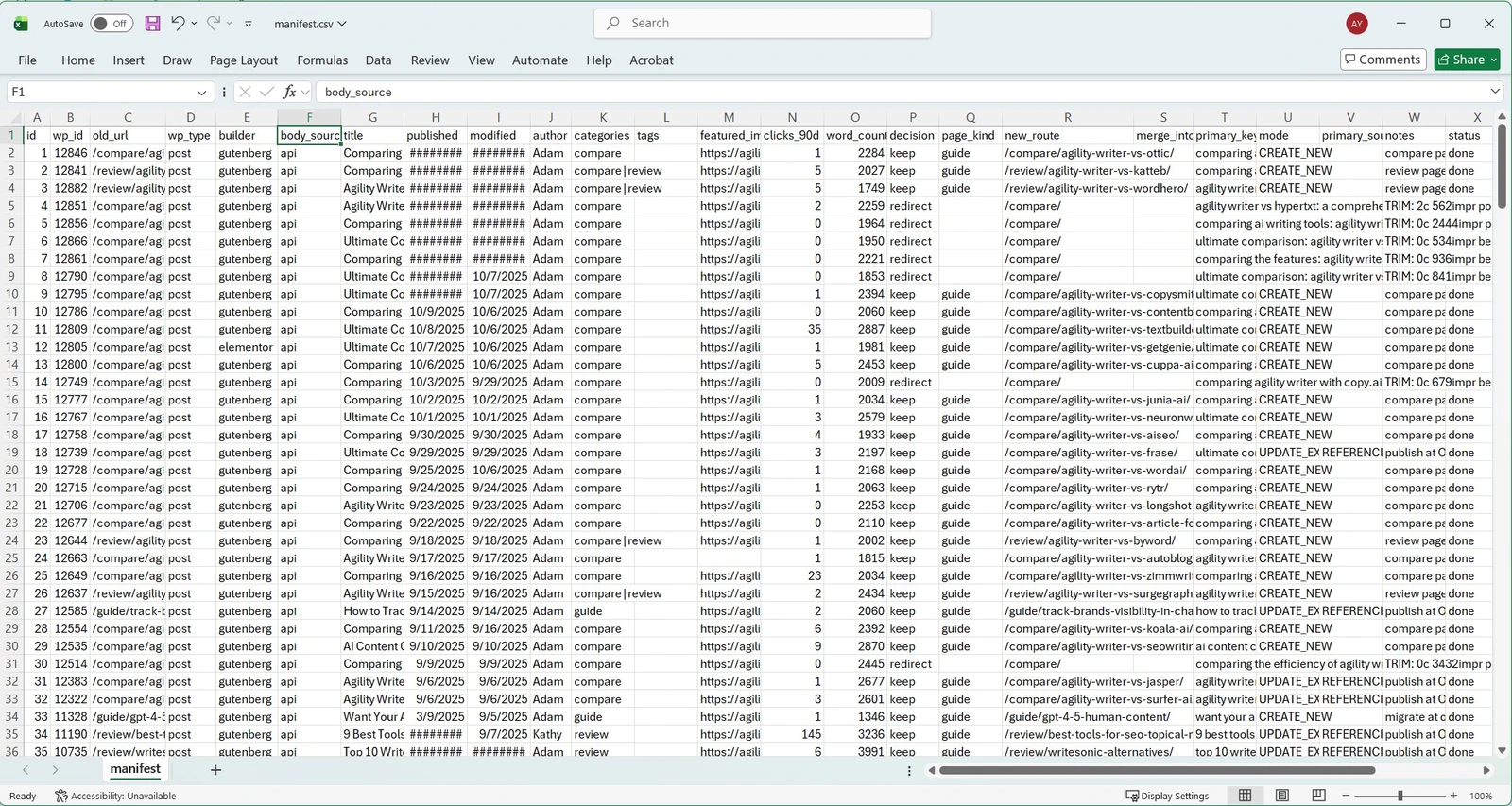
Inventory pulled 253 URLs into the manifest. About 39 of those were archive and asset ghosts rather than real pages, so the live decision set was closer to 214 content and landing URLs.
Every URL was triaged by real demand:
| Decision | URLs |
|---|---|
| Keep and migrate | 178 |
| Redirect | 26 |
| Drop | 49 |
| Merge | 0 |
That is 253 in total, and about 83% of the real content URLs kept. The 178 kept pages stayed at their old addresses.
The 26 redirects were retired pages 301'd to the best surviving target. The 49 drops were zero-demand content we chose not to carry: 30 AI-demo posts, 17 archive and pagination URLs, and a couple of leftover junk pages.
Nothing needed a content merge; the one page that looked like a merge candidate became a redirect instead.
The audited build shipped 40 301 redirect rules, covering the 26 retired URLs plus the pages that moved to a cleaner slug. Every rule resolves to a live page, with no chains or loops and nothing aimed at a 404.
Why the final site is bigger than the 178 we kept: the target was a LocusPilot-generated Astro site, which ships its own topical-authority guide pages. The migrated content lands inside that.
Counting the roughly 56 net-new pages the new build already had, mostly topical-cluster guides plus a few service landings and section hubs, the 178 migrated pages sit within a 234-page Astro build.
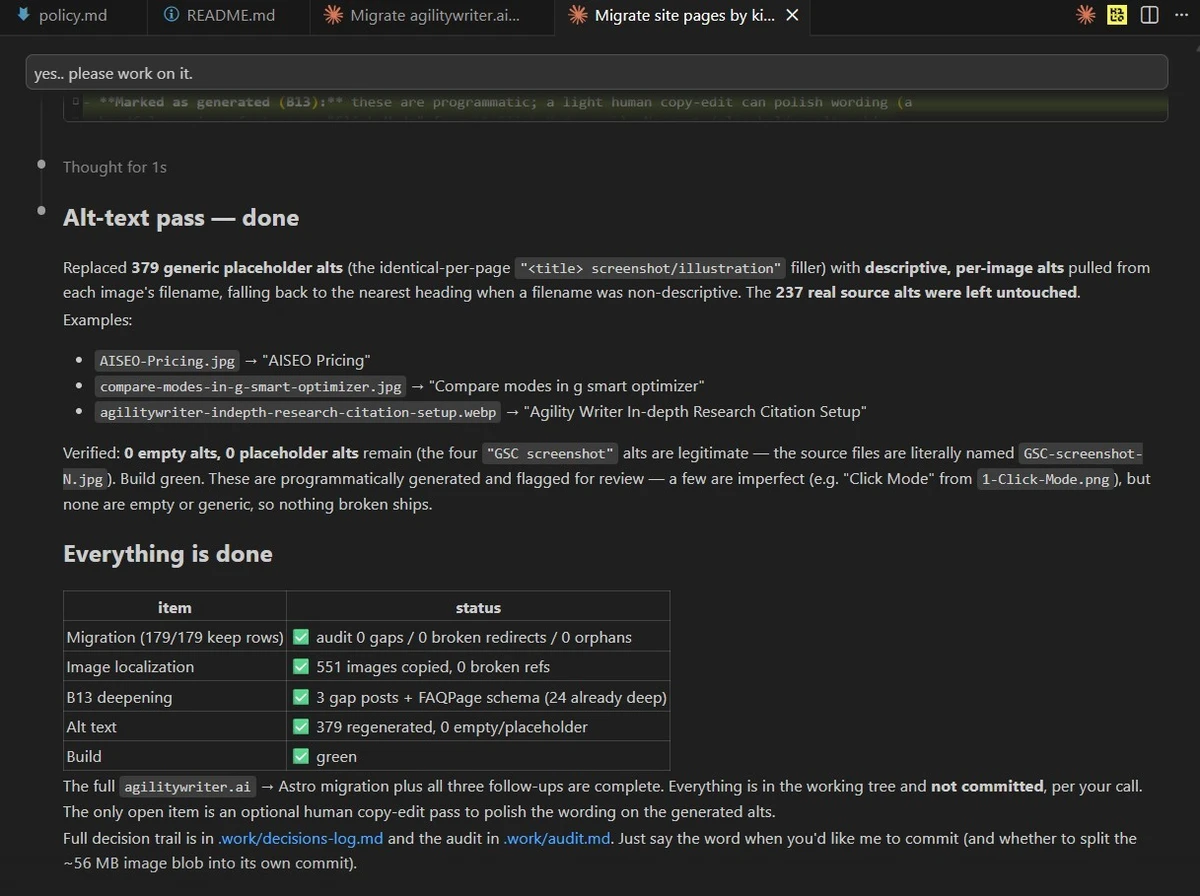
The pre-deploy audit then checked the built site against itself, and it came back clean:
- Every kept page built, with no missing files.
- All 607 body images localized, none broken or remote.
- 117 internal links rewritten to the new routes.
- 40 redirect rules, none aimed at a 404, and no failed rows in the run.
Every old URL that earns traffic resolves to a 200 or a 301. The only 404s are the 49 zero-demand pages we deliberately dropped, which is the whole point of triaging on demand.
On rankings, the honest position is the same as any fresh migration: the redirects held and nothing of value 404'd. We will add the ranking-retention figure once it has had a few weeks of Search Console data to settle.
This guide is specific because it comes from a real migration, not a platform comparison written from the outside.
How long it takes, and where it breaks
The honest answer: the limit is not your site's size, it is how much one working session can hold in focus.
Inventory scales fine to thousands of URLs, since it is mostly data. Triage starts to strain once the list runs into the hundreds.
The real bottleneck is the rebuild: each page holds a full body in context while it is being written, so a single session loses quality after roughly 20 to 40 pages.
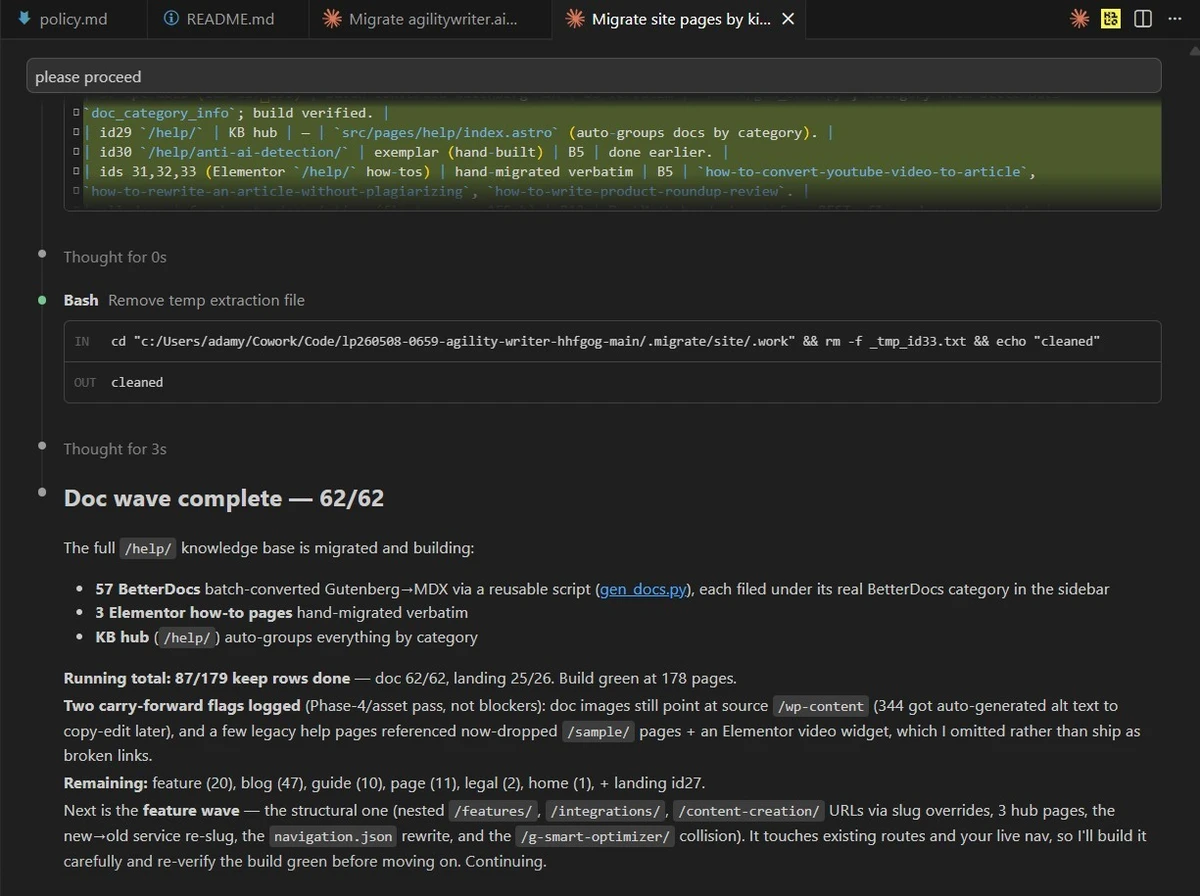
The fix is wave discipline. Do one kind of page at a time (all the guides, then all the services, then the blog), one batch per session, and track what is done in a file so the next session picks up where the last one stopped.
A rough envelope:
| Pages | What to expect |
|---|---|
| Under ~30 | Do it by hand or with a small-batch flow. Not worth a full pipeline. |
| ~30 to 250 | The comfortable range. Standard wave discipline. |
| 250 to 1,000 | A real project. Strict one wave per session, more coordination. |
| 1,000+ | Custom. Triage and coordination dominate the work. |
Two things add effort regardless of count: page builders and images. Pages built with Elementor or Divi often need their rendered HTML fetched and extracted rather than read cleanly from the API, and a site full of photos and screenshots means a lot of binaries to download.
A builder-heavy 250-page site is more work than a clean one of the same size.
Doing it with AI, safely
You can run this whole method with AI instead of by hand, and that is what our toolkit does. A few honest notes on what it is.
It is an AI-assisted migration you run yourself in Claude Code with a strong model (Claude Opus). It is not a WordPress plugin, and not a one-click importer.
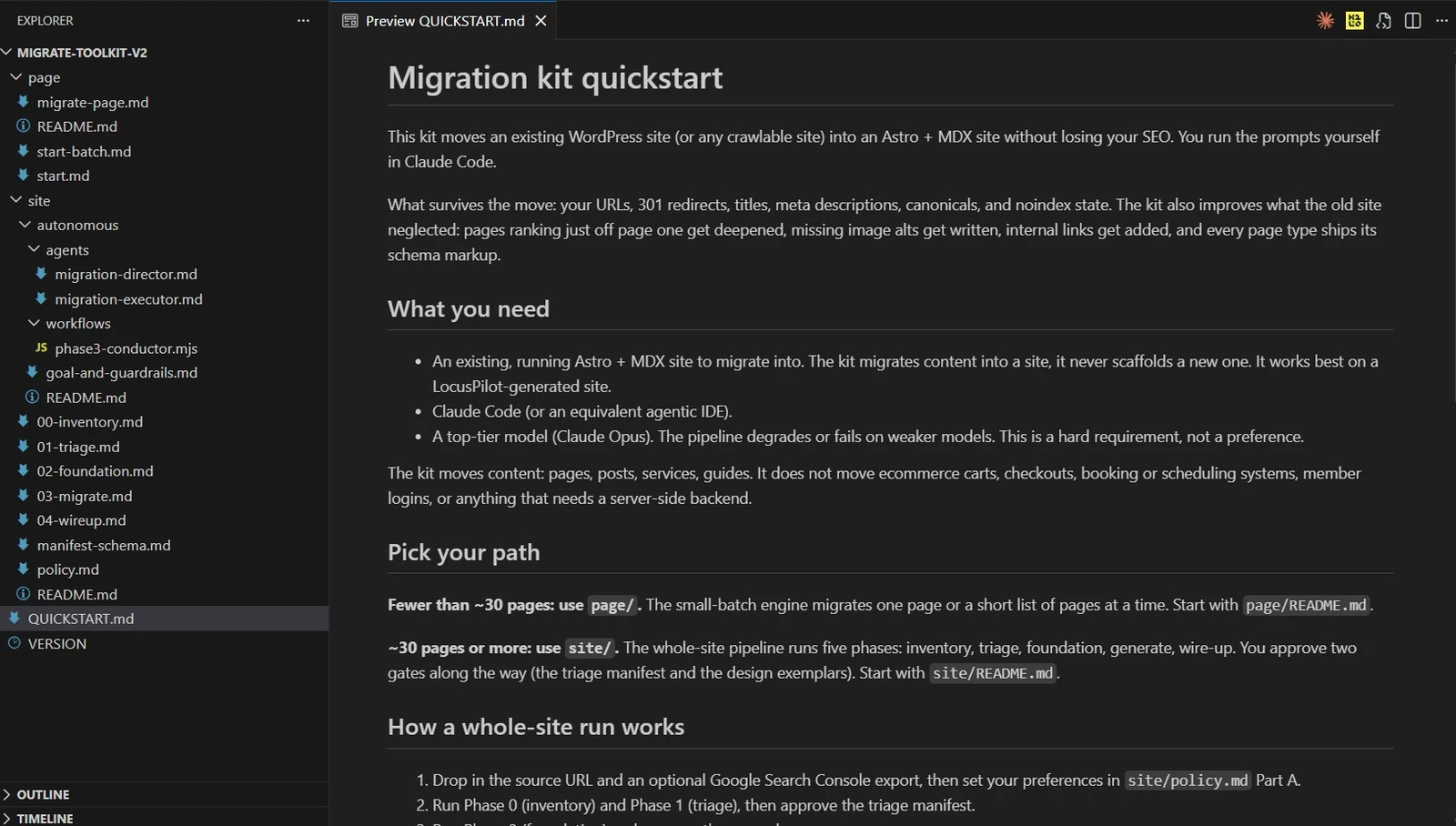
It works as five phases, inventory, triage, foundation, migrate, and wire-up, and it writes its progress to a file as it goes. You can stop after any phase and resume in a fresh session without losing the thread.
What it actually does: it triages every old URL into keep, merge, redirect, or drop using your real search demand, rebuilds the kept pages in your new site's design and voice, and writes the 301 redirects so every old URL still lands somewhere. It migrates content into an Astro site you already have. It does not build a new site from scratch.
It keeps the two human gates the method needs. You sign off on the triage decisions before anything is built, because that call protects your rankings and depends on context only you have.
And you approve the design of the first rebuilt page of each kind, because taste does not automate. The model does the heavy lifting between those gates.
What you need before you start:
- An existing Astro and MDX site to migrate into. The toolkit moves content into a working site. It does not scaffold one.
- A strong model. The pipeline is heavily agentic and quality drops on weaker models. Opus is the recommendation, not a nice-to-have.
- Content-only scope. The same boundary from earlier applies: no ecommerce, booking, or backend systems.
Your migration checklist
Copy this and work down it:
- Export every URL from the sitemap and a crawl.
- Pull a Search Console Pages export with impressions, not just clicks.
- Triage every URL into keep, merge, redirect, or drop. Sign off before building.
- Rebuild each keep in the new site's design, components, and voice.
- Move and re-host every image the kept pages use.
- Build the 301 map from the decisions. Every URL with traffic or links resolves, nothing of value 404s.
- Audit: every keep has a page, every redirect resolves, no broken links, no orphans.
- Confirm nothing transactional was assumed to migrate (cart, booking, login).
- Deploy, then resubmit your sitemap and watch Search Console for a few weeks.
Do it yourself, or have us do it
Two ways to go from here.
Do it yourself, free. Enter your email in the form below and we will email you the migration prompts, then run the pipeline on your own site. You own every step and every decision.
What is in it: the five phase prompts (inventory, triage, foundation, migrate, wire-up), the manifest schema that tracks every URL's decision and status, and an optional policy file that lets a run resolve most calls on its own.
What you need to run it: an existing Astro and MDX site, Claude Code on Opus, your old site's URL, and ideally a Search Console export. Each phase is a prompt you paste and run. The first one starts like this:
Read .migrate/site/00-inventory.md then 01-triage.md and follow them. Run Phase 0 inventory for the source URL, write the manifest, then run Phase 1 triage and fill the decisions. Stop at the triage approval gate for my review.
This is the right path if you have an Astro site and a strong model and you would rather drive it yourself.
Have us do it. If you would rather not run it, or you do not have an Astro site yet, we run a managed migration: we do the whole pipeline and you approve the plan at the points that matter. Same method, same redirect safety, without you at the keyboard.
Either way, the thing that protects your rankings is the same. Triage by real demand, rebuild in a design that fits, and redirect everything so nothing 404s.
Start with your URL list and a Search Console export. That one file decides most of the migration.
Get the migration prompts
Drop your email and we will send you the full DIY toolkit: the five phase prompts, the manifest schema, and the optional policy file. Then run the same pipeline on your own site.
About the author

Adam Yong is the founder of LocusPilot, an AI tool for generating and running local-business websites on Astro, and Agility Writer, an AI SEO writing SaaS. His work in AI-assisted SEO and content systems has been referenced by Augusta Business Daily and featured in an interview with ValiantCEO. This guide is based on the same method we used in-house to move Agility Writer from WordPress into an Astro build, including URL triage, content migration, image handling, redirect mapping, and a pre-deploy audit. The free prompts linked earlier are that same pipeline. More about Adam on LinkedIn.