AI Agent Ready
AI Agent Ready helps AI tools find, read, and understand your website. It is built for tools like ChatGPT, Claude, Perplexity, Gemini, and Agent-Ready scanners.
It does not replace normal SEO. It adds a second layer for AI tools that prefer clean markdown, machine-readable files, and clear discovery signals.
1What This Feature Does
A normal website is made for people. AI tools can read it, but they often have to remove menus, buttons, layout code, and repeated page parts first.
AI Agent Ready gives those tools cleaner paths. It adds files and signals that say: this is the site, these are the important pages, and here are clean text versions.
2The Two Parts of Agent-Ready Markdown
Part 1: Apply AI Agent Ready
LocusPilot adds the markdown pages, discovery files, headers, and crawler signals to your site source.
Part 2: Host where markdown can work
Direct markdown files work on any host. But the best scanner score usually needs normal page URLs to return markdown when AI tools ask for it. On Cloudflare, this uses Transform Rules.
3What LocusPilot Adds to Your Site
| Item | What it does |
|---|---|
| robots.txt | Tells crawlers they can access the public site. |
| Content-Signal | Tells AI tools the site allows search, AI input, and training use. |
| llms.txt | Gives AI tools a short reading list for the site. |
| llms-full.txt | Gives AI tools a fuller site summary. |
| Markdown pages | Gives clean text versions of pages without layout or menus. |
| Link headers | Points agents to important discovery files. |
| .well-known files | Adds the API catalog, agent card, MCP server card, and skills index. |
| WebMCP | Gives supported browsers a simple way to expose site context and tools. |
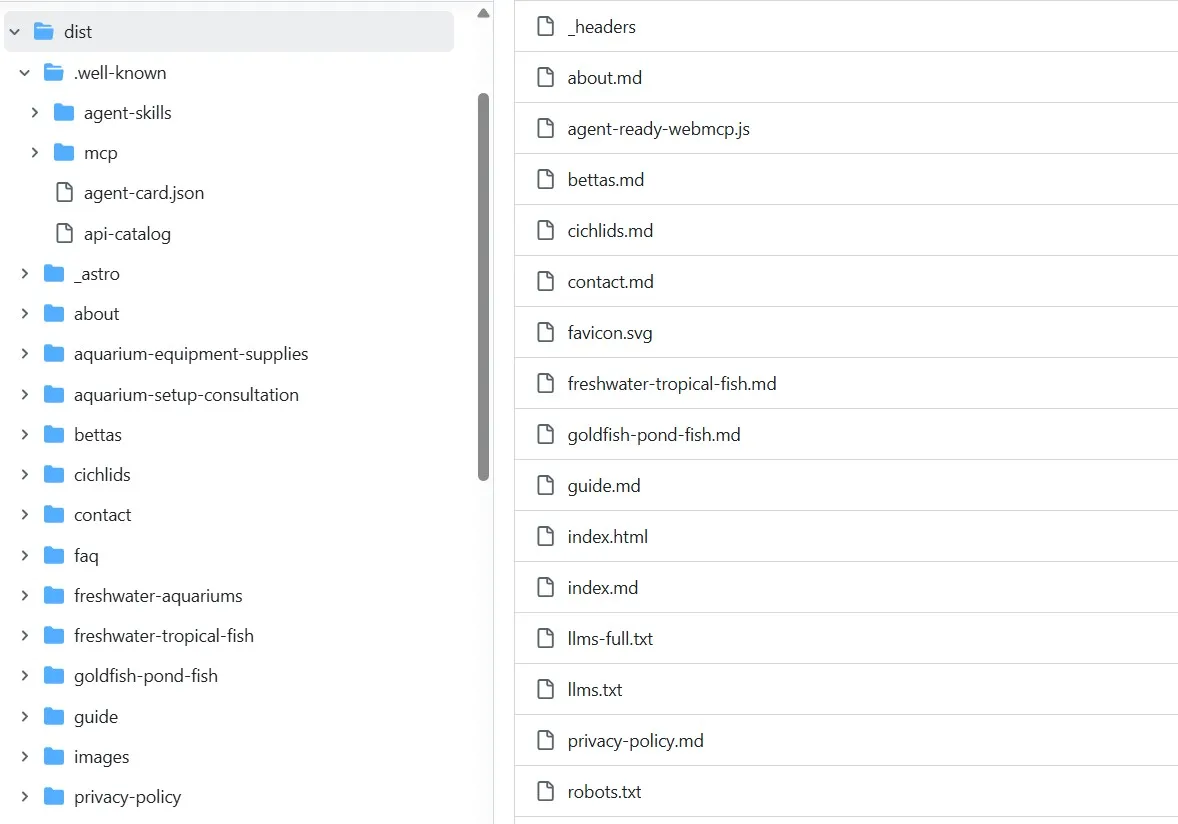
4How This Maps to the Cloudflare Scanner
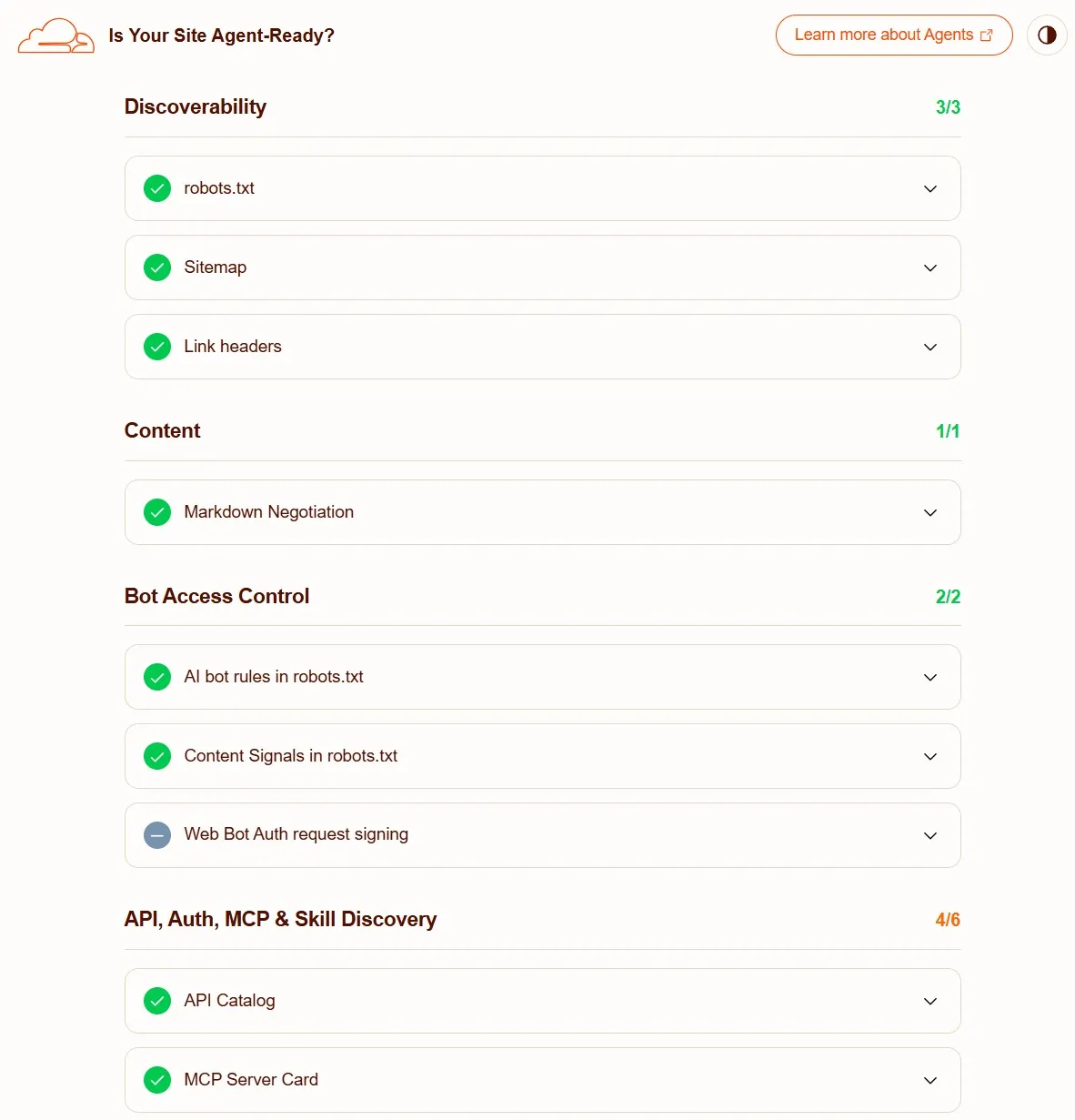
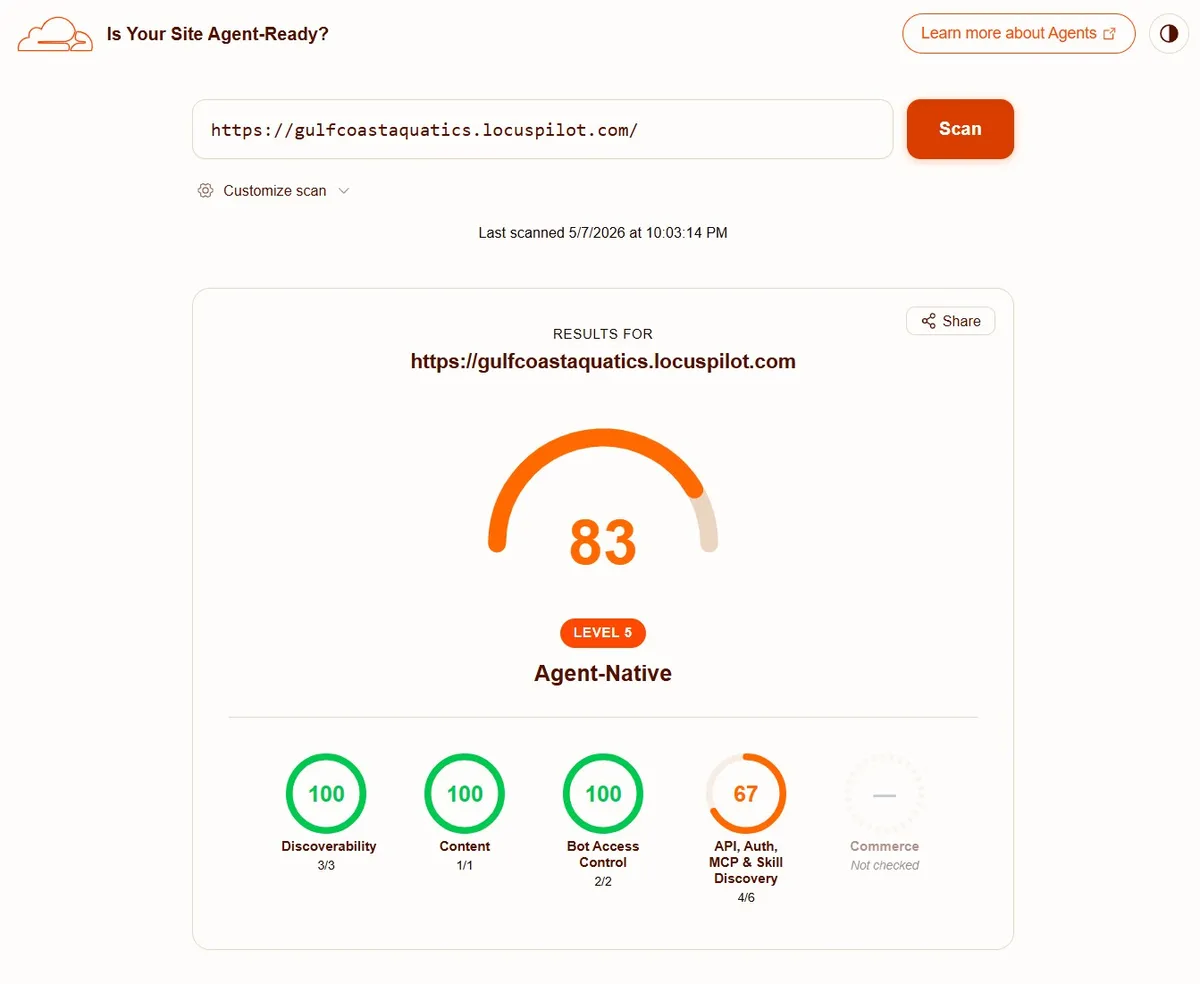
The scanner at isitagentready.com checks several areas. Here is what LocusPilot covers for a static local business site.
Discoverability
Covered by the sitemap, robots file, link headers, and discovery files.
Content
Covered by markdown pages. The highest result needs Cloudflare rules for markdown negotiation.
Bot Access Control
Covered by open crawler rules and Content-Signal.
API, Auth, MCP & Skill Discovery
Covered by the API catalog, MCP server card, Agent Skills index, and WebMCP. OAuth checks are skipped because these static sites do not need protected agent APIs.
Commerce
Skipped on purpose. Static local business sites usually do not charge agents for content or API calls.
5What We Skip on Purpose
6How to Apply It
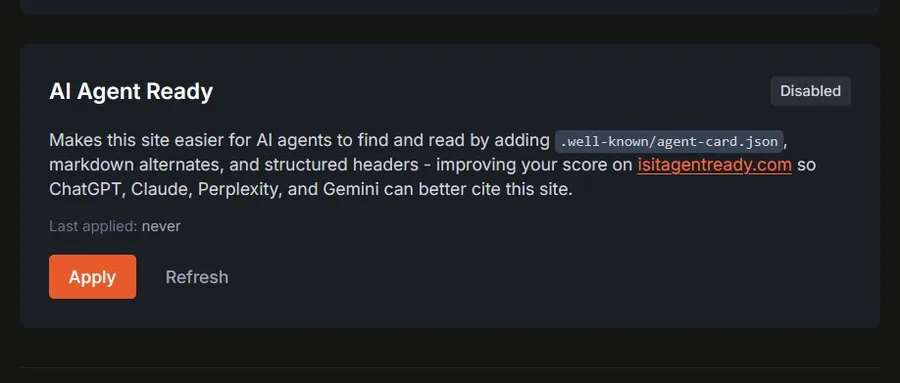
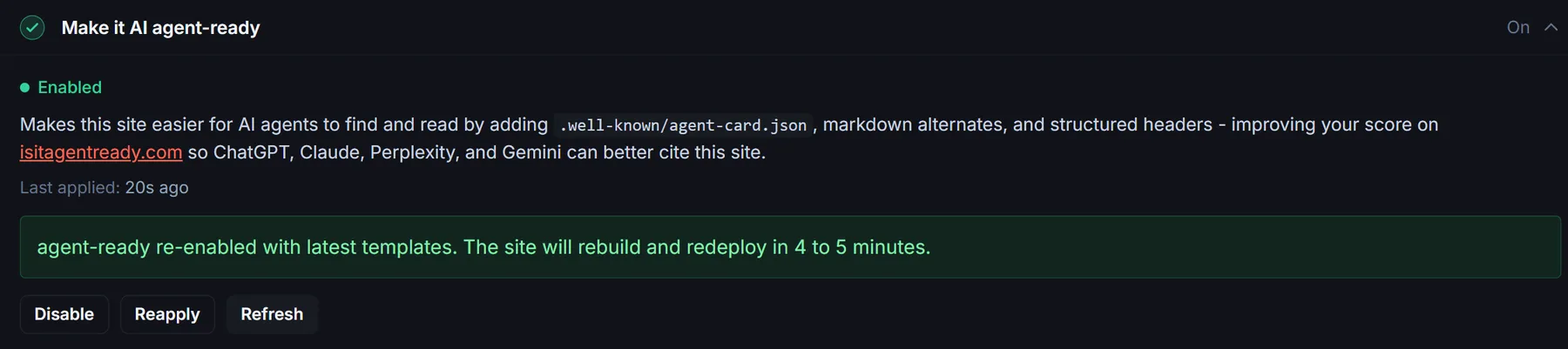
- Open a completed project in LocusPilot.
- Find Make it AI agent-ready under Finish setup.
- Click Apply.
- Wait for it to run.
- If the site was already published, publish it again.
7How to Get the Best Score
- Apply AI Agent Ready.
- Publish or republish the site.
- Use a domain that can run Cloudflare rules.
You can use LocusPilot hosting with a domain pointed through our Cloudflare setup. Or you can publish to your own Cloudflare account.
- Open isitagentready.com.
- Enter your live custom domain, not the preview URL.
- Run the scan after the site has been republished.
Troubleshooting
Score still looks low
Make sure AI Agent Ready was applied. Then republish the site.
Markdown negotiation is missing
Check your hosting path. You need Cloudflare Transform Rules or a similar rule that changes the request before the site loads.
Link headers are missing
Republish after applying AI Agent Ready. The live site must receive the new headers and files.
Commerce still shows 0
This is expected for static local business sites. Commerce checks do not affect the normal local business setup.