Connect ChatGPT to your LocusPilot account
Ask ChatGPT about your leads, sites and directory listings in plain English. Add it once on chatgpt.com and the desktop app picks it up.
You can ask ChatGPT about your LocusPilot account in plain English: new leads, calls per site, which directory listings to pitch. ChatGPT connects through MCP, the same standard Claude uses.
Set it up once on chatgpt.com in a browser. The ChatGPT desktop app picks it up from your account after that, so there is nothing to add there.
What you need
- An active LocusPilot subscription (Operator or higher). Pay-as-you-go accounts can't connect.
- A ChatGPT account where you can add your own MCP apps.
Step 1: make a key for ChatGPT
- In LocusPilot, go to Settings > API Keys and click Generate New Key.
- Name it "ChatGPT", so you can revoke this one on its own later.
- Pick Read only, or Read and triage if you want ChatGPT to mark leads and log outreach.
- Copy the key. We show it once.
ChatGPT can't send a key in a header the way Claude does, so the key goes inside the server address. Keep that address private: anyone who sees it can use the key. For the same reason, a key used this way can't change lead routing, even if you ticked that option.
Step 2: add LocusPilot on chatgpt.com
- On chatgpt.com, open Plugins, click Add and choose Create MCP App.
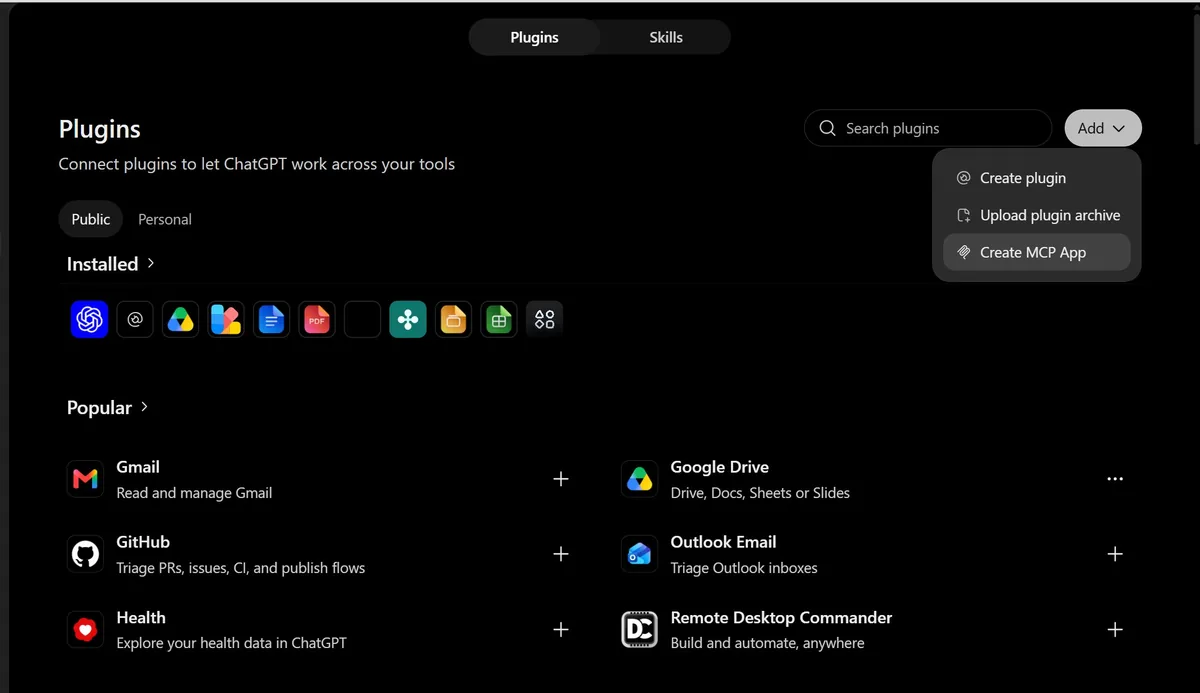
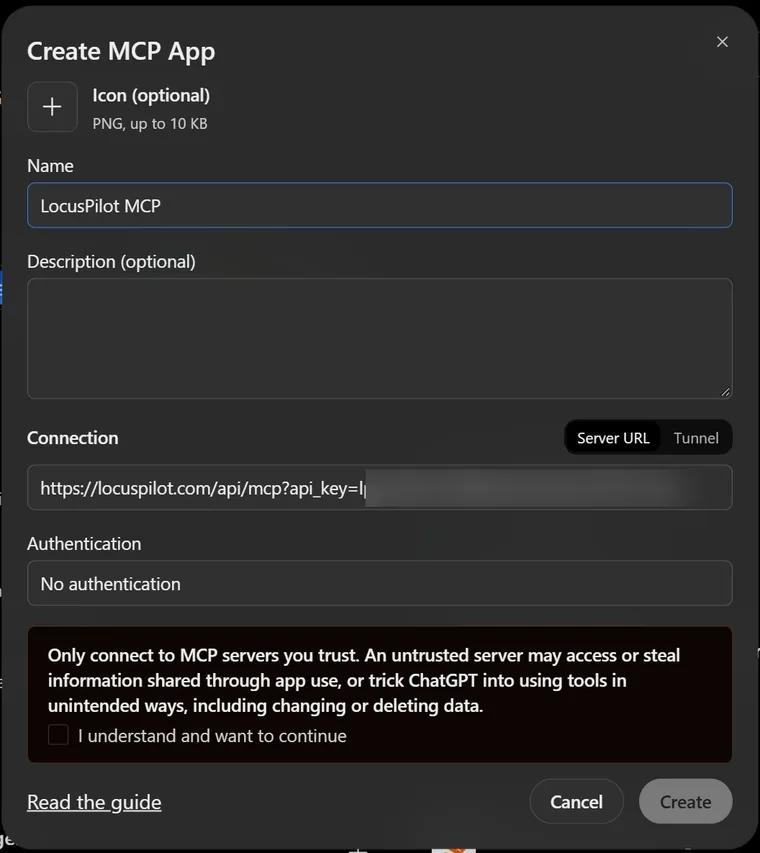
- Name it "LocusPilot MCP". Leave Connection on Server URL and paste
https://locuspilot.com/api/mcp?api_key=YOUR_KEY, with your key in place ofYOUR_KEY. - Set Authentication to No authentication. Your key is already in the address, so there is nothing else to enter.
- Tick "I understand and want to continue" and click Create.
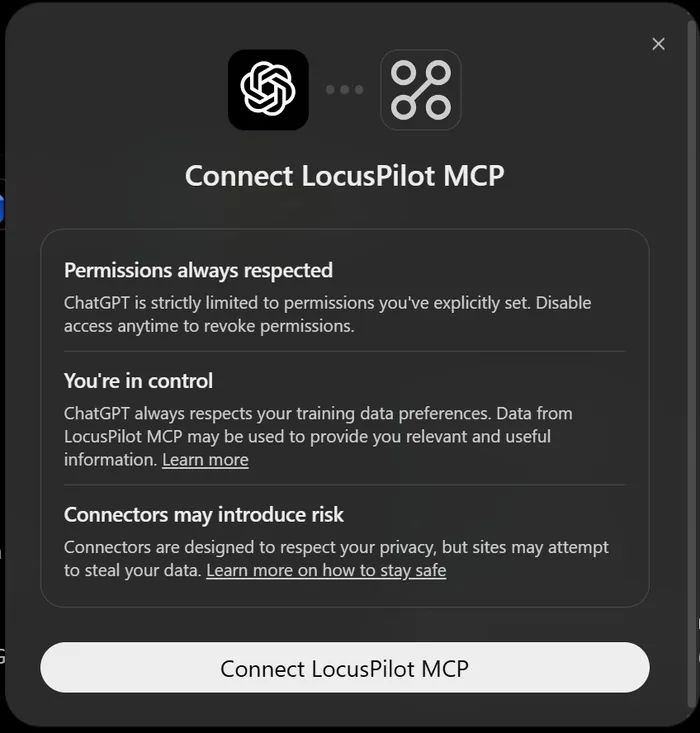
- ChatGPT asks you to confirm. Click Connect LocusPilot MCP.
Step 3: use it in a chat
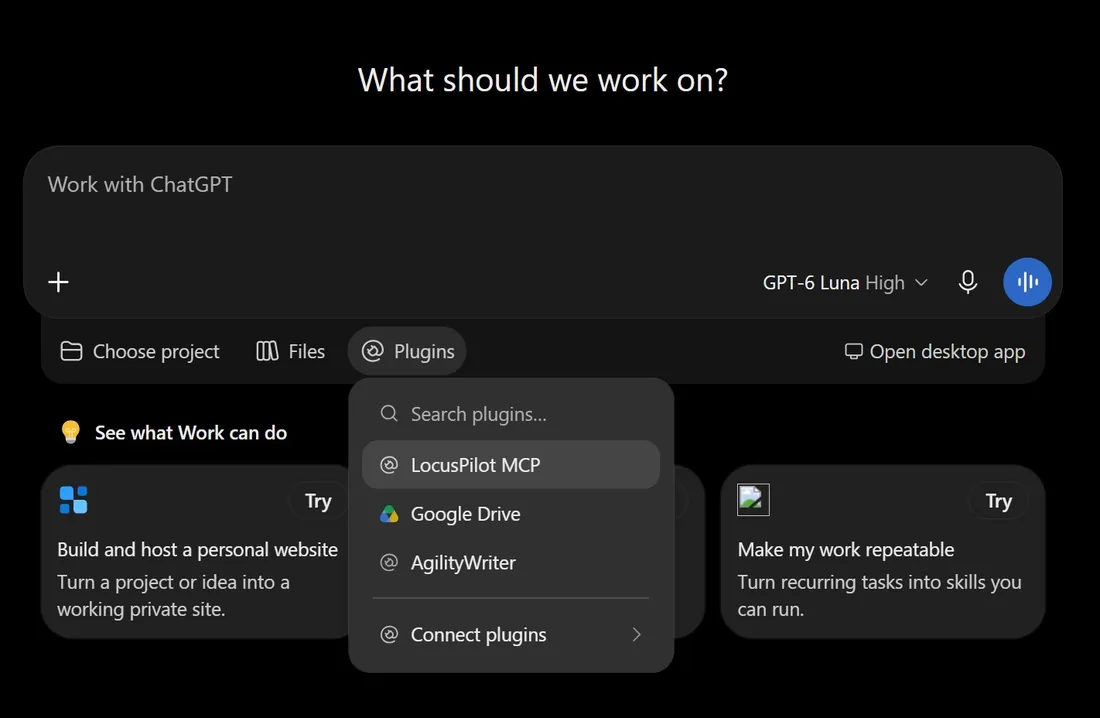
Start a new chat, open Plugins under the message box and pick LocusPilot MCP. It shows up in the ChatGPT desktop app too, once you have added it on the web.
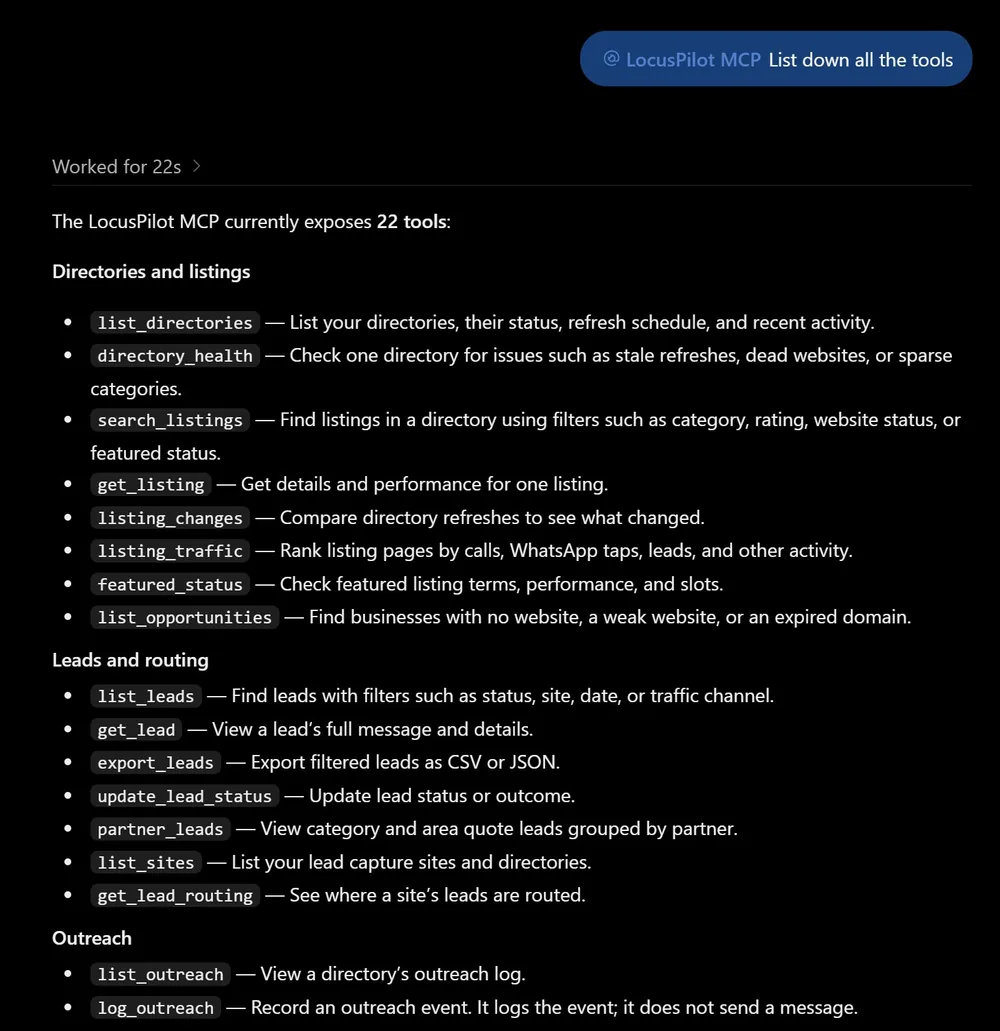
A good first question is "List all the tools". ChatGPT replies with what it can do in your account:
Then try the same questions as in Claude:
- "List this week's new leads across all my sites and tell me which ones look like spam."
- "Which sites dropped more than 40% in calls compared with the previous 30 days?"
- "In my aircon directory, which listings got the most calls and WhatsApp taps in the last 30 days and aren't featured?"
- "Whose featured slot ends in the next 14 days?"
If the key leaks
Revoke it in LocusPilot (Settings > API Keys > Revoke). It stops working on the next request. Make a new key, then edit the LocusPilot MCP app in ChatGPT and paste the new address.
Recent actions, next to each key in Settings > API Keys, lists the last 20 changes and lead exports the key made. Actions from ChatGPT are marked "key in URL".
More
Access options, call limits, Do not contact and how your data is handled work the same as with Claude. They are in the connect Claude guide.