CTA Click Tracking - See Every Click That Matters
Most local-business leads never fill out a contact form. They tap the phone number, message you on WhatsApp, or click the email link in the footer. Without click tracking you only see the form submissions, which is roughly a third of the picture.
CTA tracking turns on automatically for every site you enrol under Portfolio › Sites. Phone taps, WhatsApp clicks, email clicks, outbound links, and form views all flow into your Portfolio dashboard. There is nothing to configure.
Heads-up: subscription required. CTA tracking dashboards are an Operator-and-above feature. Sites set up via Set up lead capture (the PAYG / Free path) only send form submissions by email; no click tracking is recorded for them. If you want the data, enrol the site under Portfolio › Sites.
If your subscription ends, click tracking pauses immediately at the end of the billing period. Past events stay in the database and remain exportable via the Leads Inbox CSV for 30 days after cancellation. See the cancellation FAQ for the full picture.
1Why Click Tracking Matters for Local Sites
Run a quick check on your last 30 days of leads. Count the form submissions in your inbox. Then ask yourself how many phone calls and WhatsApp chats you had in the same window. If the calls beat the forms by three to one, you are not the exception. You are the rule.
Click tracking captures the missing piece. Every CTA on the page becomes a measurable event, attributed to the page it was clicked on and the traffic source the visitor came from.
Heads-up: click tracking records that a button was clicked, not the call duration or whether the visitor converted on the other end. For revenue attribution you still need to ask new customers how they found you.
2What Gets Tracked
Five event types, picked up automatically based on the link or behaviour:
Phone taps
Any link starting with tel:. On mobile this opens the dialler. On desktop it usually opens Skype or FaceTime. Either way, intent is the same.
WhatsApp clicks
Any link pointing at wa.me, api.whatsapp.com, or web.whatsapp.com. Pre-filled message text is captured too.
Email clicks
Any mailto: link. The recipient address is stored so you can spot which mailbox a visitor tried to reach.
Outbound links
Any link to a different domain. Useful for spotting visitors clicking through to your Google Business Profile, your booking system, or a partner site.
Form views
A contact form is counted as "viewed" when at least 30% of it scrolls onto the screen. This is the first half of the funnel: how many visitors actually saw your form vs. how many submitted it.
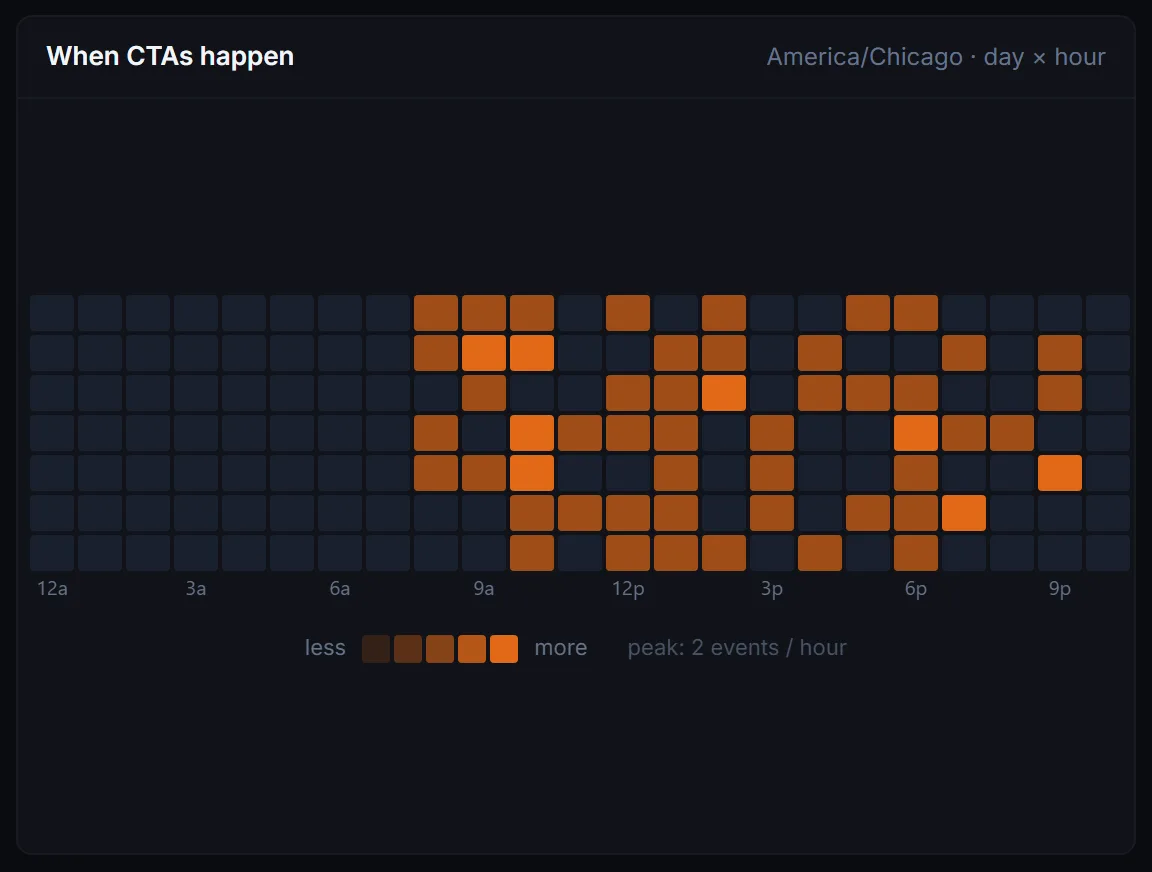
On each site's page in the Portfolio dashboard, every event type gets its own count and share:

3Where Visitors Came From
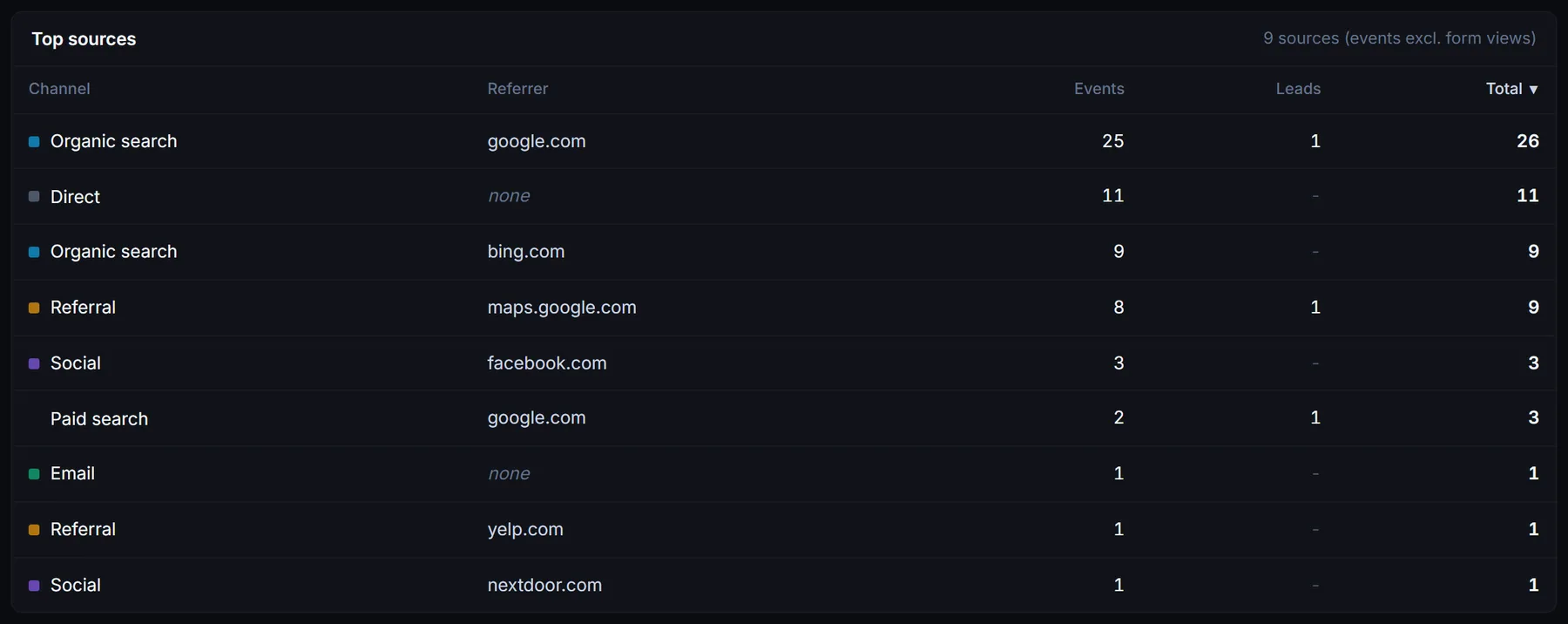
Every CTA click is tagged with the traffic source of the visit. We figure this out from the referrer URL and any UTM tags on the landing URL. The classifier produces one of these labels:
- •Organic search - Google, Bing, DuckDuckGo, etc. without a paid-tag in the URL.
- •Paid search - Google Ads, Bing Ads. Detected from
gclid,utm_medium=cpc, and similar tags. - •Social - Facebook, Instagram, TikTok, LinkedIn, X, Reddit. Direct from social-host referrers or
utm_source=facebook-style tags. - •Email - Anything tagged
utm_medium=email. - •Referral - A normal link from another website that is not a search engine or a social platform.
- •Direct - No referrer, no UTMs. The visitor typed the URL or opened a bookmark.
- •Internal - Clicked from another page on the same site. Filtered out of most reports.
The traffic source is stored on the click event and the form submission, so you can group leads by channel just like you would in Google Analytics, without the Google Analytics setup.

4Approximate Visitor Location
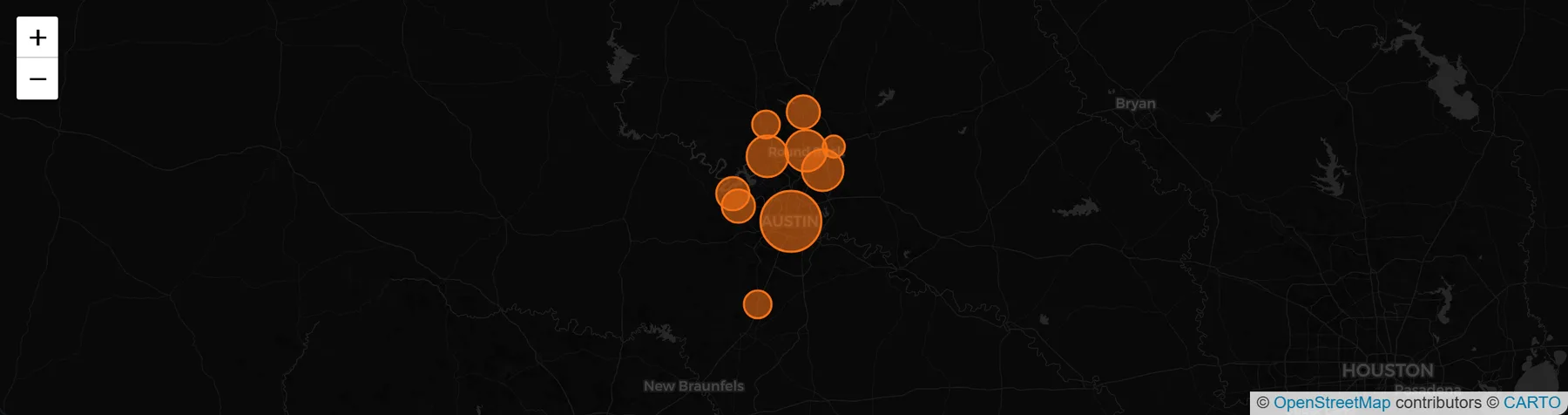
Cloudflare gives us a rough geolocation for every request, derived from the visitor's IP address. We capture city, region, country, and time zone. That is the level of detail useful for a local business: which towns are sending visitors, which time-of-day matters in which city.
What we store
The latitude and longitude are the centroid of the city, not the visitor's actual coordinates. There is no street-level data and no way to identify an individual visitor from the geo fields. That is on purpose. Cloudflare does not give us street-level data and we would not want it if they did.
This data powers the visitor map on the per-site detail view in your Portfolio dashboard.
5What It Does Not Track
A short list, because we get asked:
- ✕No mouse tracking, no session replay, no keystroke logging. We capture discrete events (a click, a view), not continuous behaviour.
- ✕No personal data on clicks. A phone tap is just a phone tap. The visitor's identity is not collected unless they submit a form (in which case we capture what they typed).
- ✕No cookies and no consent banner. The tracker uses session storage (cleared when the tab closes) and IP-based geolocation. No identifiers persist across sessions, which is why no consent banner is needed in most jurisdictions. Check your local rules; we are not lawyers.
- ✕No cross-site identity. A visitor who lands on two of your enrolled sites looks like two different visitors. We do not stitch them together.
Related Guides
Already Enrolled a Site?
Open Portfolio to see the clicks roll in. Click data starts flowing within minutes of enrolment.
Open Portfolio